
From the enquiry to the departure list
Group travel without the spreadsheet
Sub-groups, participant lists, price tiers, free places, rooming and group documents. All on the booking itself, not in a separate file that ages the moment someone drops out.
Start free 30-day trialNo card required · Guided setup · Export your data
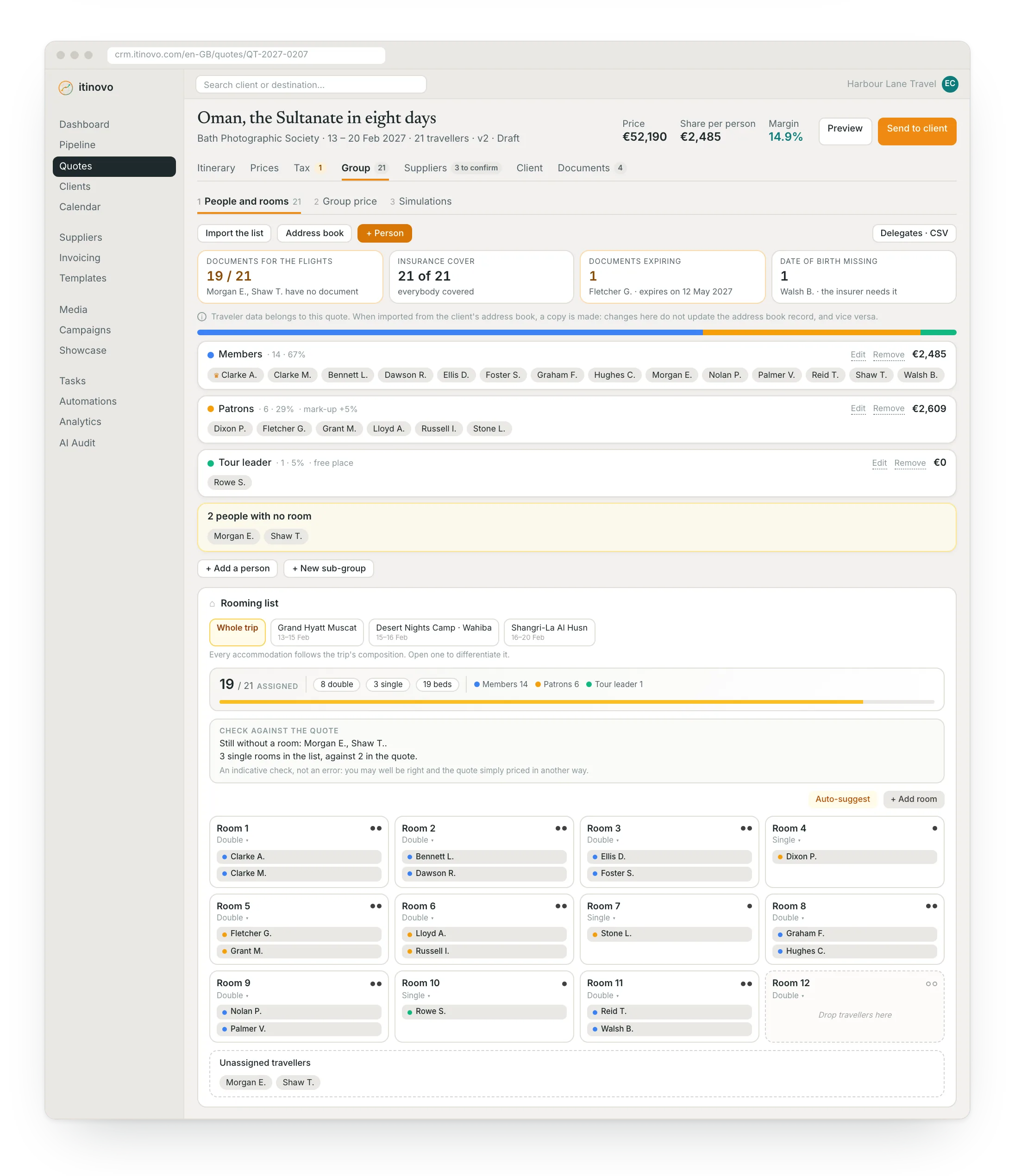
From enquiry to departure list
One file holding the group, its price and its people.
Turn the enquiry into a group
Any enquiry becomes a group booking: expected participants, organiser contact, type of trip. The quote stays on the same file.
Price it for the real numbers
Tiers by participant count, free places for the organiser or the driver, and a curve showing what happens to the price per person as the group grows or shrinks.
Bring the people in
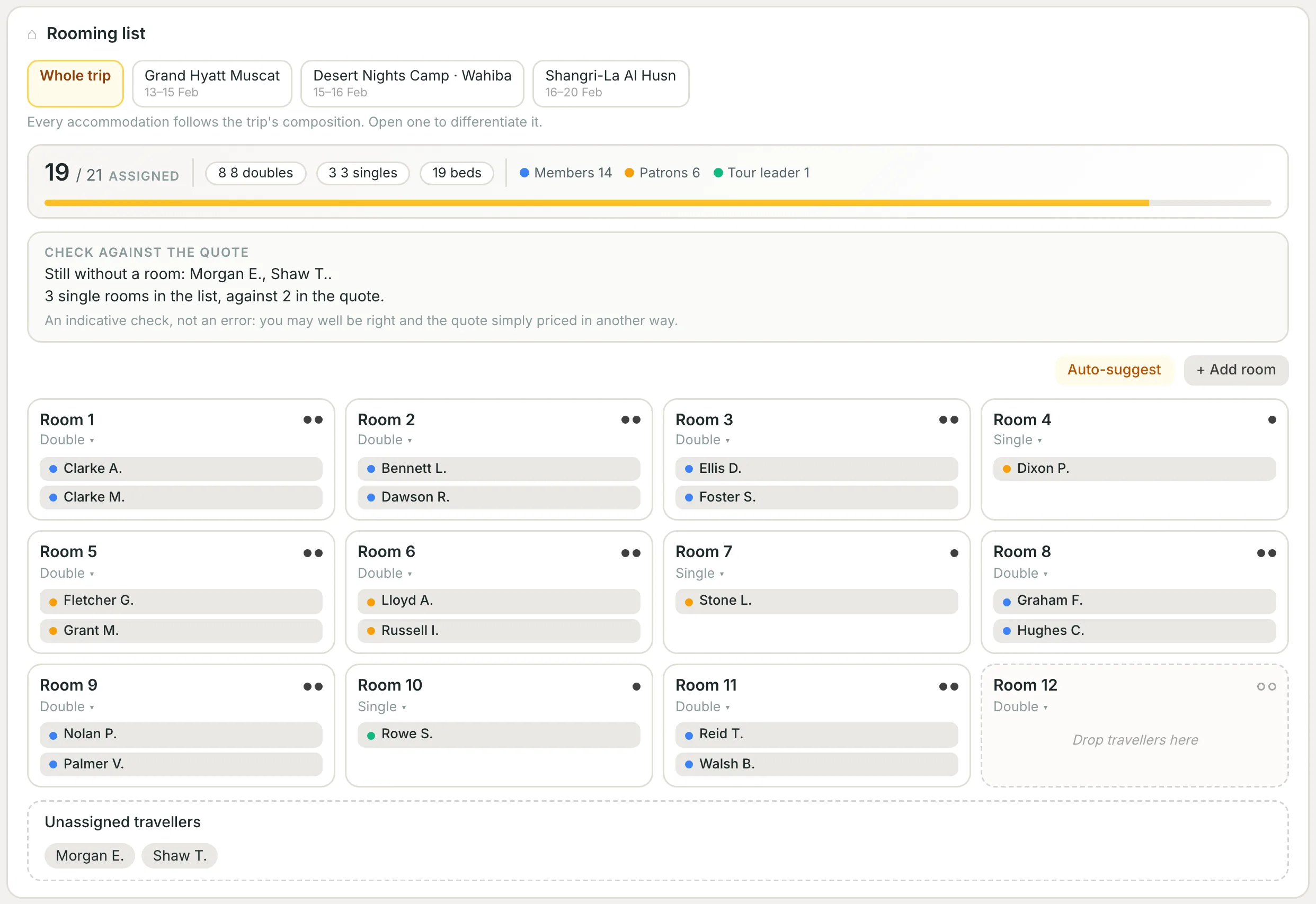
Import the participant list, split it into sub-groups, assign the rooms, and generate the manifest, the rooming list and the delegate agenda.
The group's price
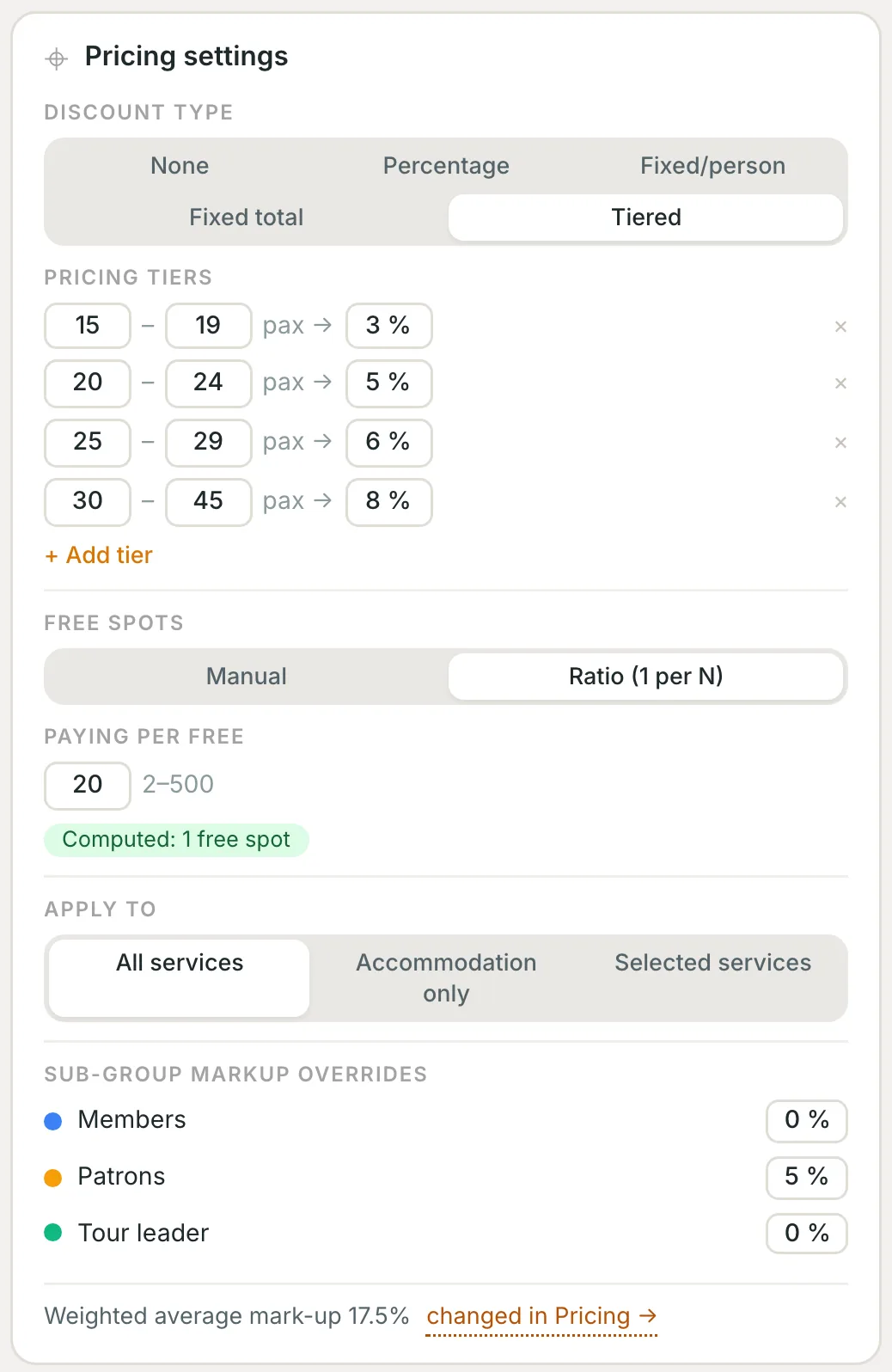
Bands, free places, mark-ups per sub-group
The discount that grows with the group, written once: 15–19 people 3 %, 20–24 people 5 %. Free places are given by hand or «one every 20 paying», and the CRM works them out. Apply them to all services or to accommodation only.
- The discount you need. Percentage, fixed per person, fixed on the total or in bands.
- Free places with two policies. A discount for everyone, or one person travels free.
- A mark-up per sub-group. Supporting members pay 5 % more, the tour leader nothing.
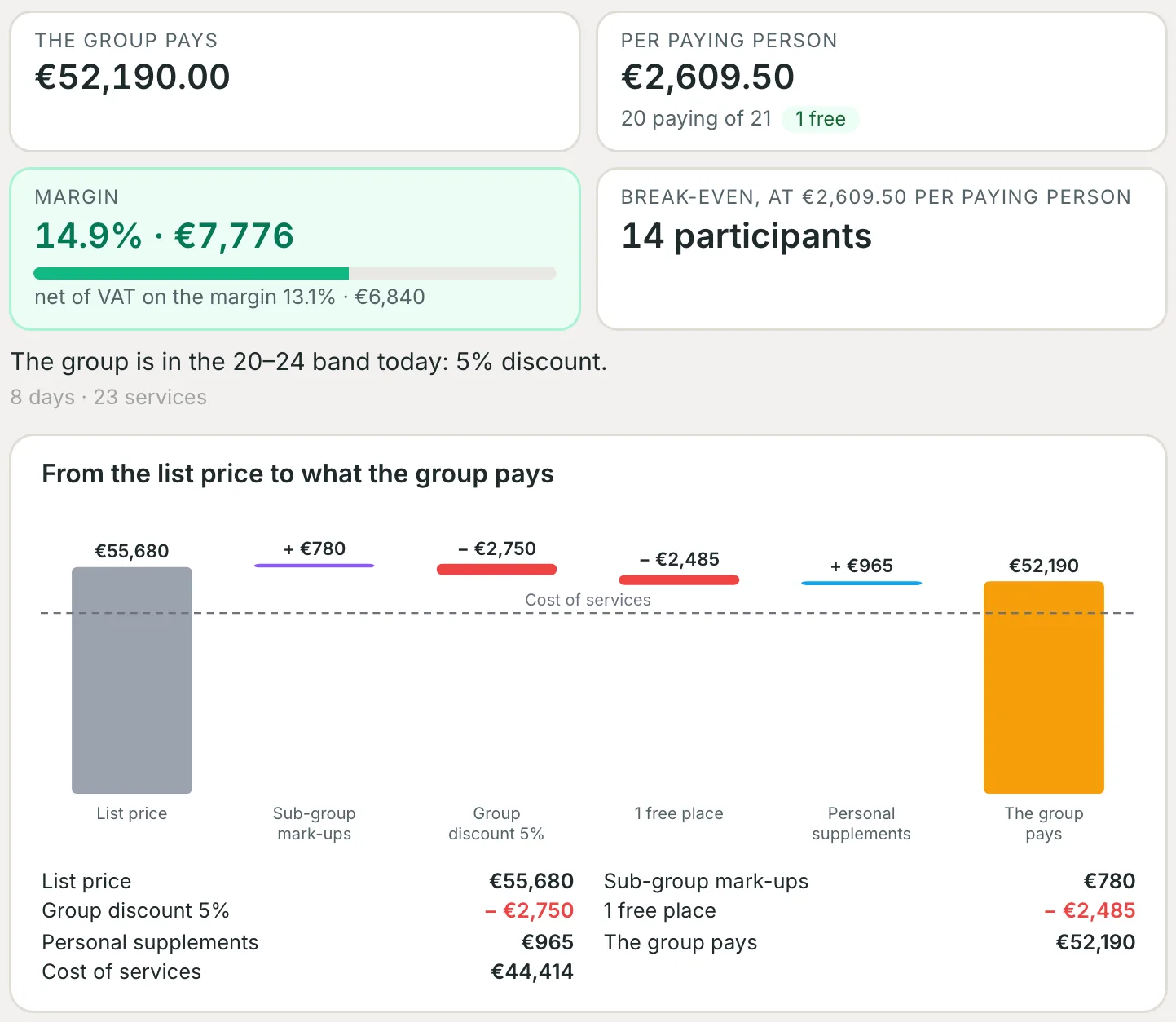
From the list price to what the group pays
From list price to final price, line by line, and the true margin
The cascade shows what happens between the list price and the group price: mark-ups, band discount, free place, supplements. Beside it, the margin net of VAT and the number of people below which the group loses money.
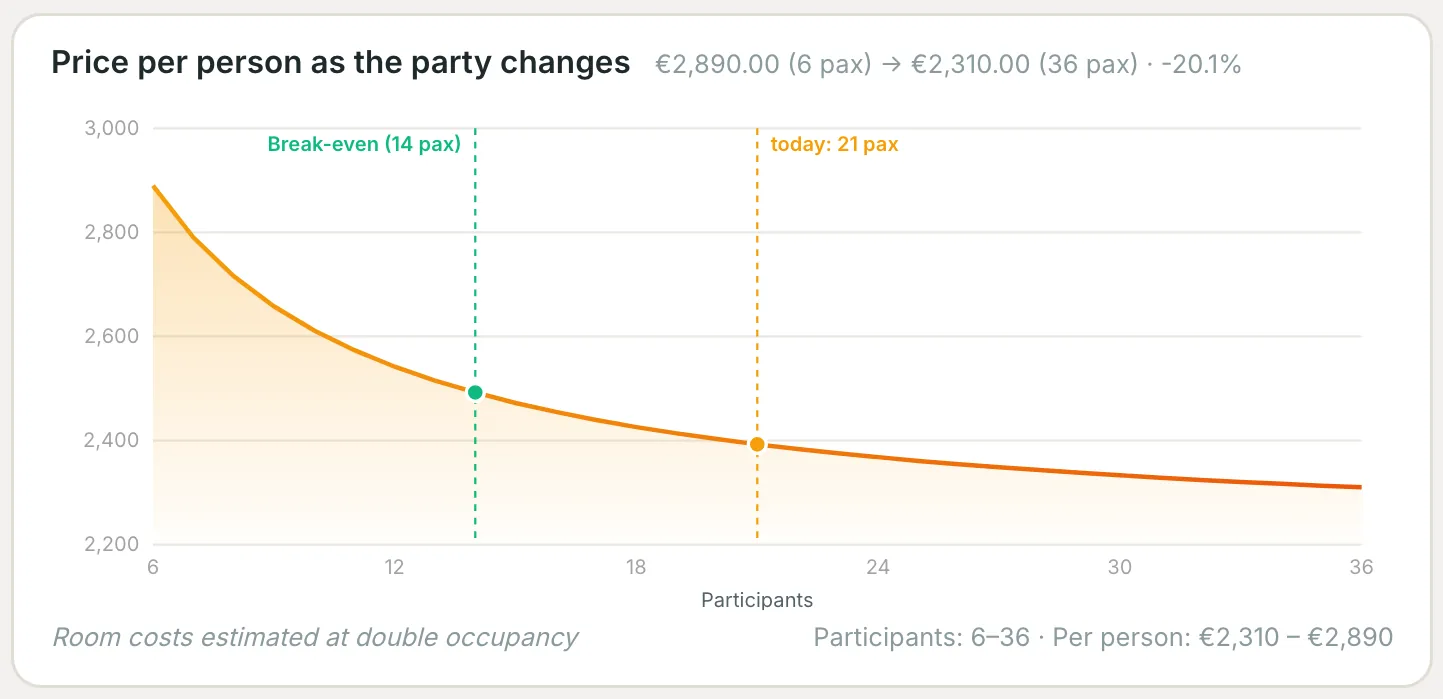
If the numbers change
The price-per-person curve, before you decide
The price per person for every number of participants, the break-even and where you are today. When the organiser asks «what if we were 30?», the answer is already on screen.
Cost breakdown
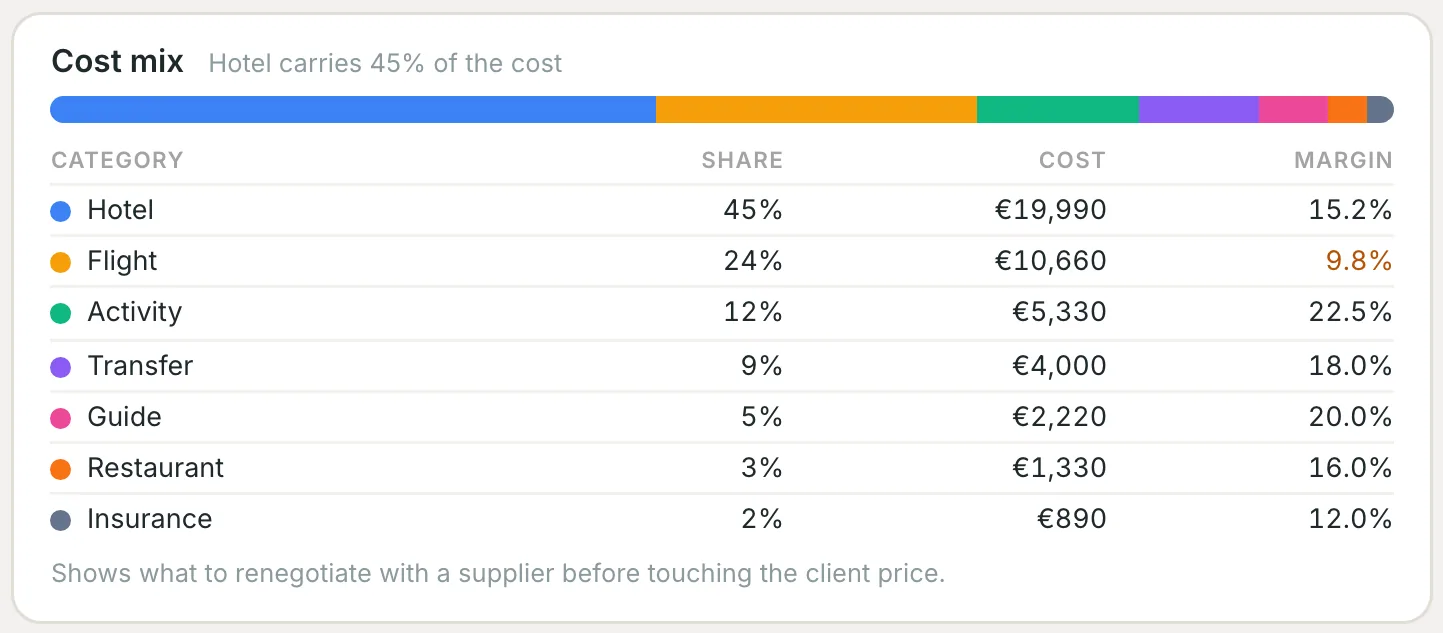
You know what to negotiate with suppliers
How much hotels, flights, activities and transfers weigh, with each one's margin. Before touching the client's price you see where it pays to negotiate.
The people of the group
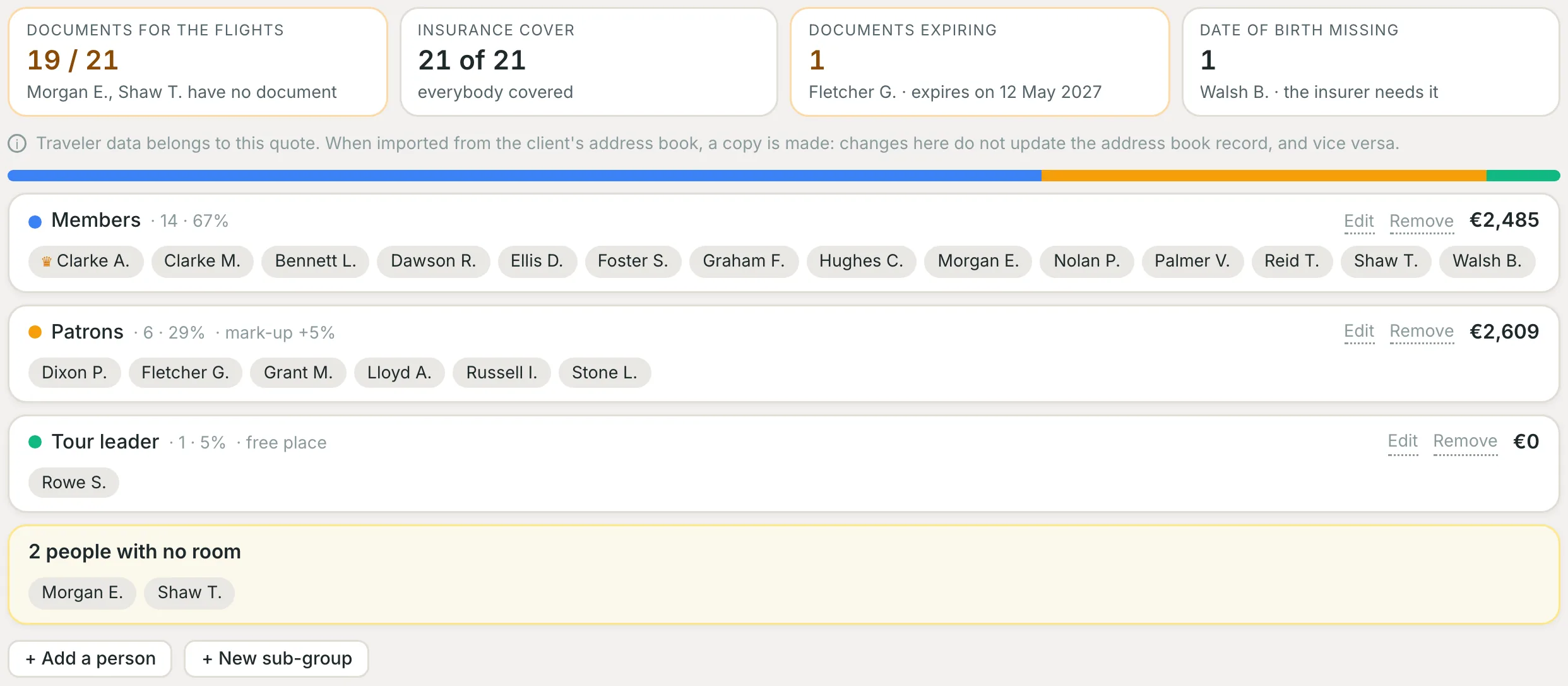
Participants, not rows
The list is imported from a spreadsheet or from the client's contacts, split into sub-groups and checks itself: documents for the flights, insurance cover, expiry dates, missing dates of birth.
They fill in their own formsnew
After the confirmation each participant gets their own link and fills in name, document and needs. You see who is missing and remind them in one click.
The group's programmenew
School trip, pilgrimage or club outing: each day's appointments on a grid, in the travel sheet and in the portal. For conventions and congresses there is the MICE page.
Stop rebuilding the group in a spreadsheet
With spreadsheets
- The participant list lives in a file, in a version somebody else has
- Every change of numbers means recalculating the price by hand
- Free places are remembered late, and come out of the margin
- Rooming is redone from scratch at every change
- Manifest and rooming list retyped for each supplier
With itinovo CRM
- The list lives on the booking, next to the quote and the documents
- The price per person recalculates on the tier you set
- Free places are part of the calculation, not a surprise
- Rooming follows the list and the sub-groups
- Documents generated from the same data, in your brand
What a group booking actually needs
Built for schools, associations, corporate travel and pilgrimage groups.
Frequently asked questions
How large a group can I manage?
From 10 to 500 expected participants, with the named list up to 200 people and the sub-groups inside the same booking. Group management is part of the Professional plan.
What happens when people drop out at the last minute?
You change the number and the price per person recalculates on the tier you set, free places included. The curve shows the effect before you commit to it.
Can the organiser stay informed without calling me?
Yes. Automatic updates reach the organiser and, when you want, the participants, each in their own language.
Can participants fill in their own details?
Yes. After the confirmation each of them gets their own link and fills in name, document and needs; you see who is missing and send a reminder.
Handle your next group without a spreadsheet
Sub-groups, tiered prices, rooming and group documents, inside the booking where the quote already is.
Start free 30-day trialNo credit card requiredGuided setupExport your data