
Professional quotes in minutes
Precise quotes, professional documents, ready in minutes
Build itineraries day by day, control margins and margin scheme VAT in real time, and send your client a branded PDF ready to approve.
No credit card required · Guided setup · Export your data
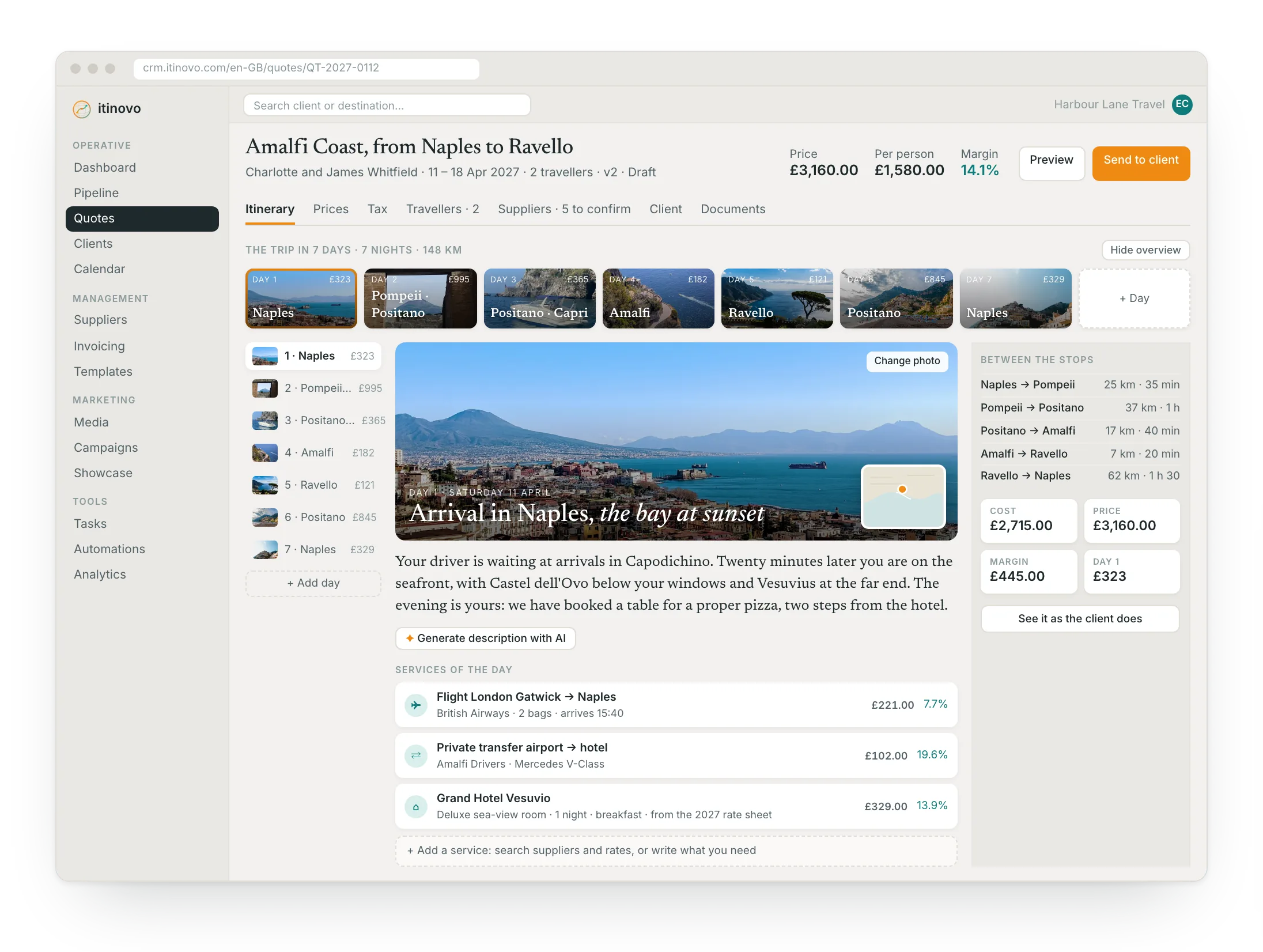
From the first service to the final PDF
A single flow that replaces scattered spreadsheets and manual documents.
- 1
Build the itinerary
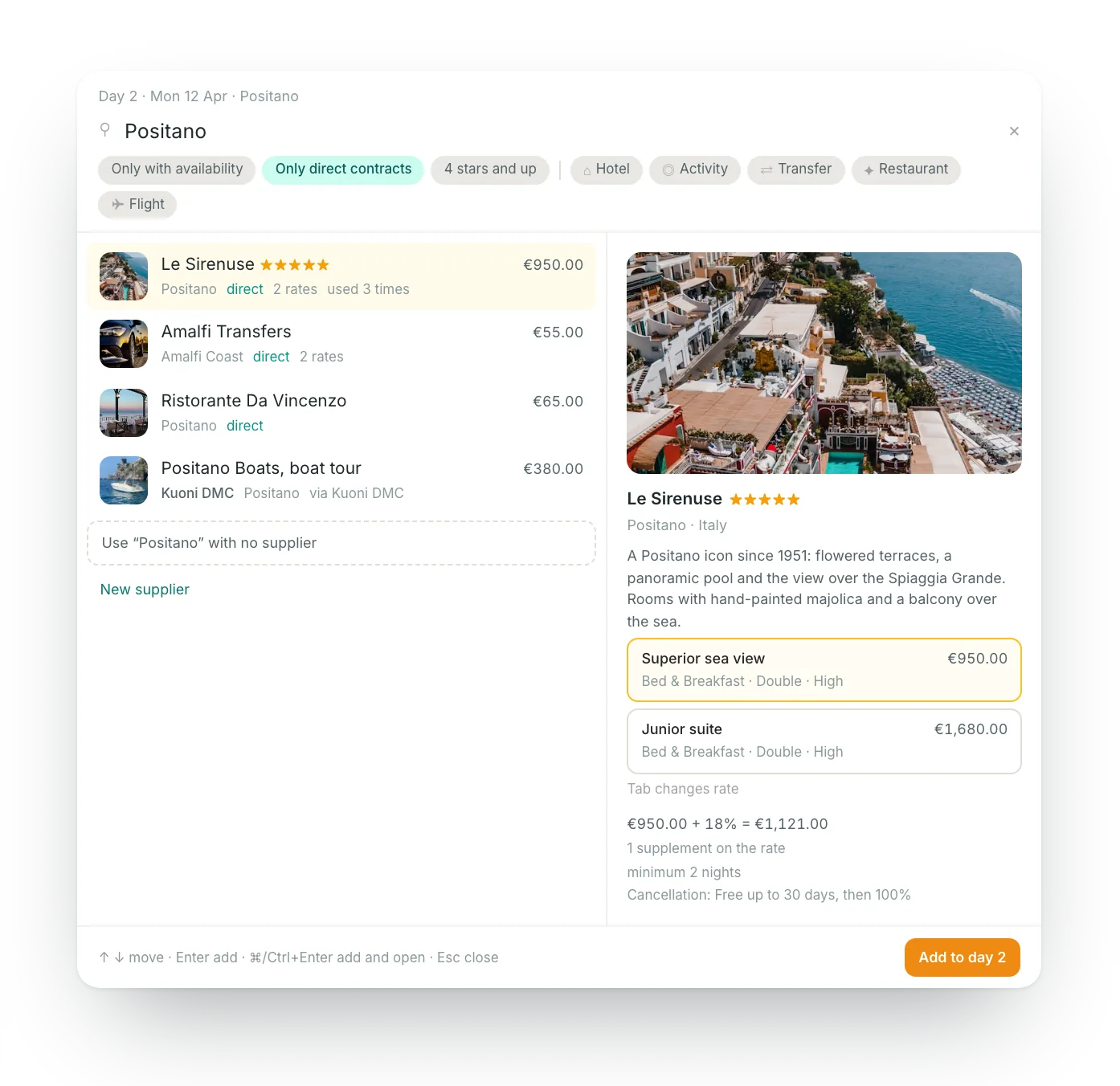
Add hotels, transfers, activities, guides and restaurants day by day. Drag and drop to reorder.
- 2
Control profitability
See cost, selling price, margin, per-person price and margin scheme VAT update as you work.
- 3
Send a professional document
Generate a branded PDF or share the interactive client portal with one click.
Leave spreadsheets and copy-paste behind
With Excel and manual documents
- Margins to recalculate every time
- Copy-paste errors between files
- Duplicate versions floating around
- PDF to format manually every time
- No visual consistency for clients
With itinovo CRM
- Margins updated in real time
- Services organised by day automatically
- Versioning with instant comparison
- Document generated with one click
- Consistent agency branding everywhere
Everything you need to close faster
Each feature is designed to save time and reduce errors in your daily workflow.
- Day-by-day editor
- Add hotels, activities, transfers, guides, restaurants: organised by day with drag and drop.
- Real-time margins
- See your cost, markup, selling price, and margin percentage update instantly as you build.
- Branded PDF
- Generate professional PDF quotes with your agency branding, ready to send to clients.
- Inclusions & exclusions
- Clearly show clients what is and is not included in the price.
- AI document scan for travellers
- Upload a photo of any identity document (passport, ID card, or driving licence) and the AI extracts name, date of birth, nationality, document number, and expiry date in seconds. Review each field before confirming, with confidence indicators for every extraction. The document image is deleted immediately and permanently after processing, never stored on the server.
- Templates, expiry and history
- Save an itinerary as a template and reuse it, or import tour operator PDF and Word catalogues with AI (from the Professional plan). Every quote has an expiry date, a client who declines leaves the reason, and the history shows sends, versions and messages.
Explore the client portal in action
See how your clients will view their quote: interactive itinerary, map, messaging and online payment.
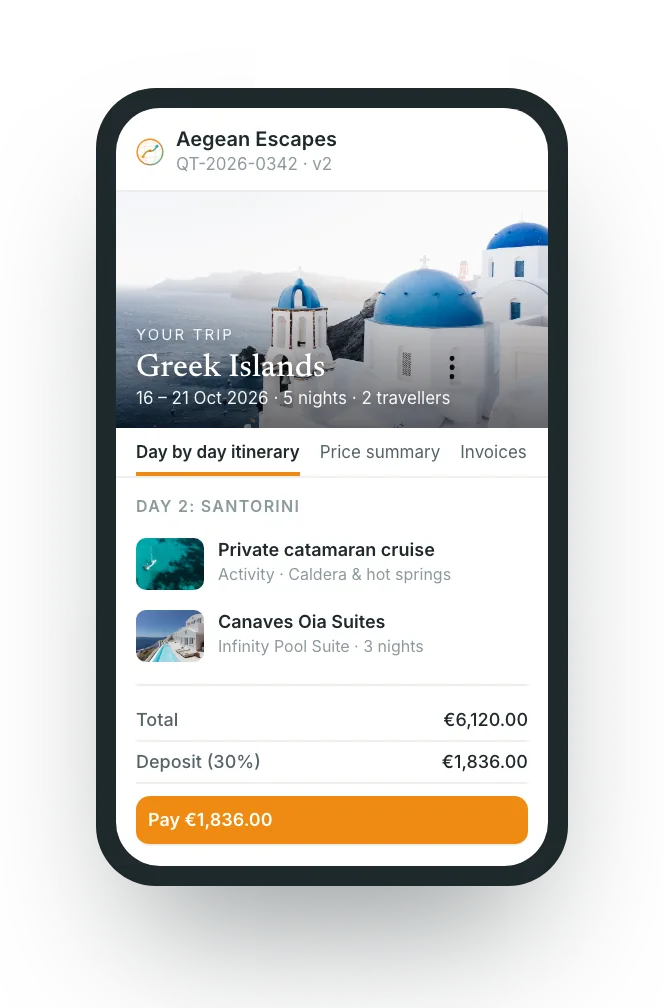 See the client portal →
Frequently asked questions
- How long does it take to produce a quote?
- A single-price proposal takes a couple of minutes. A full day-by-day itinerary takes as long as the trip is complex, because rates come from your supplier catalogue: you are assembling, not retyping.
- Does the client see my costs and my margin?
- Never. Costs, markups and margins stay internal. The client sees only what you choose: the itinerary day by day, the services grouped by category, or one package price.
- What happens if a supplier changes the price after I have quoted?
- The confirmation records the real price and flags the difference against your quote. You apply the new prices to a new version in one step and the margin recalculates.
Create your next quote in less time
Give your agency a single tool to build itineraries, control margins, and send professional proposals.
Start free 30-day trialNo credit card requiredGuided setupExport your data