
Conventions, incentives, congresses, corporate travel
Corporate events, from the approved proposal to the last transfer
The event programme room by room, a proposal the company approves online with its purchase order number, and the invoice purchasing pays first time. On top, everything itinovo already does for groups.
Start free 30-day trialNo card required · Guided setup · Export your data
The event programme
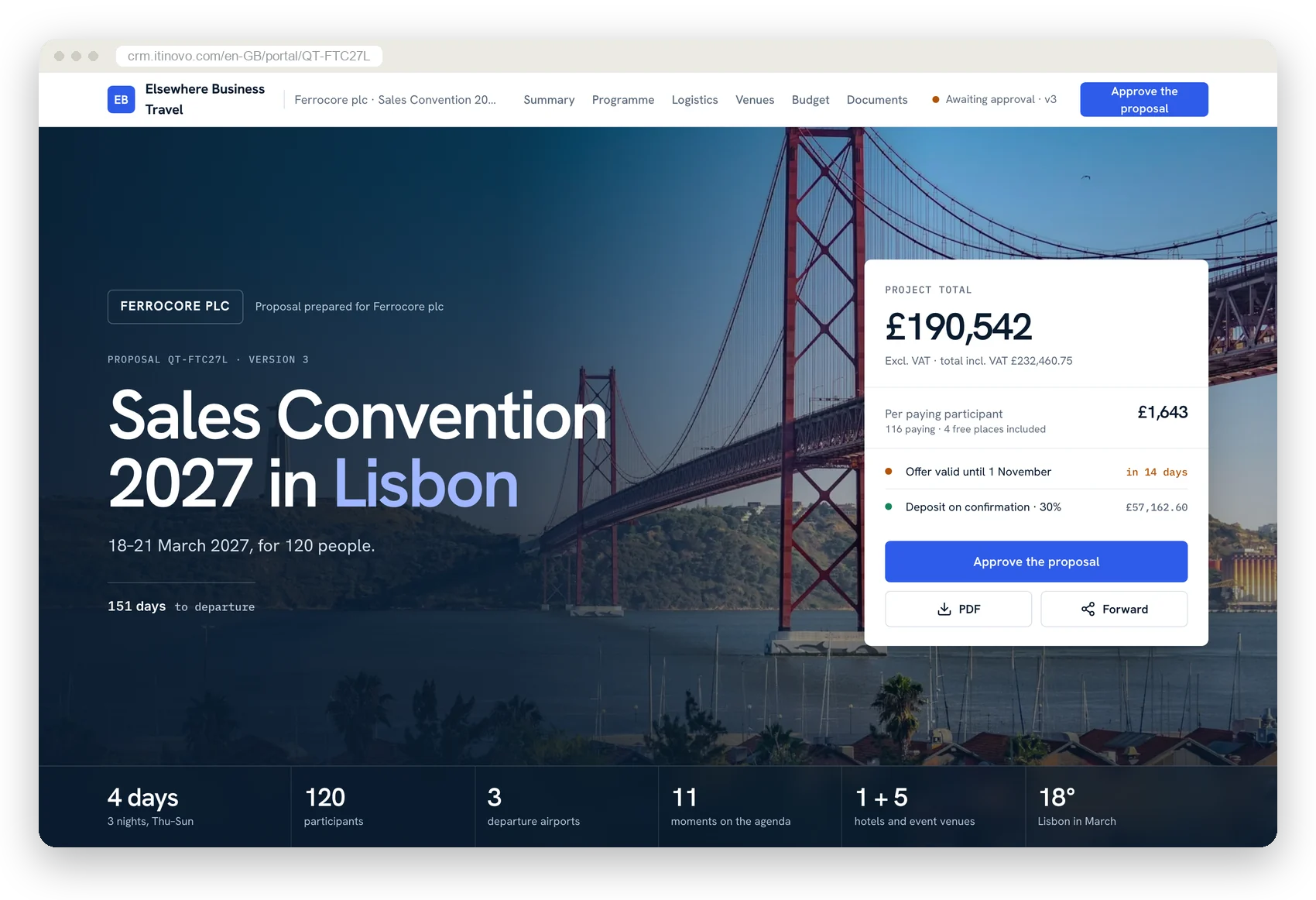
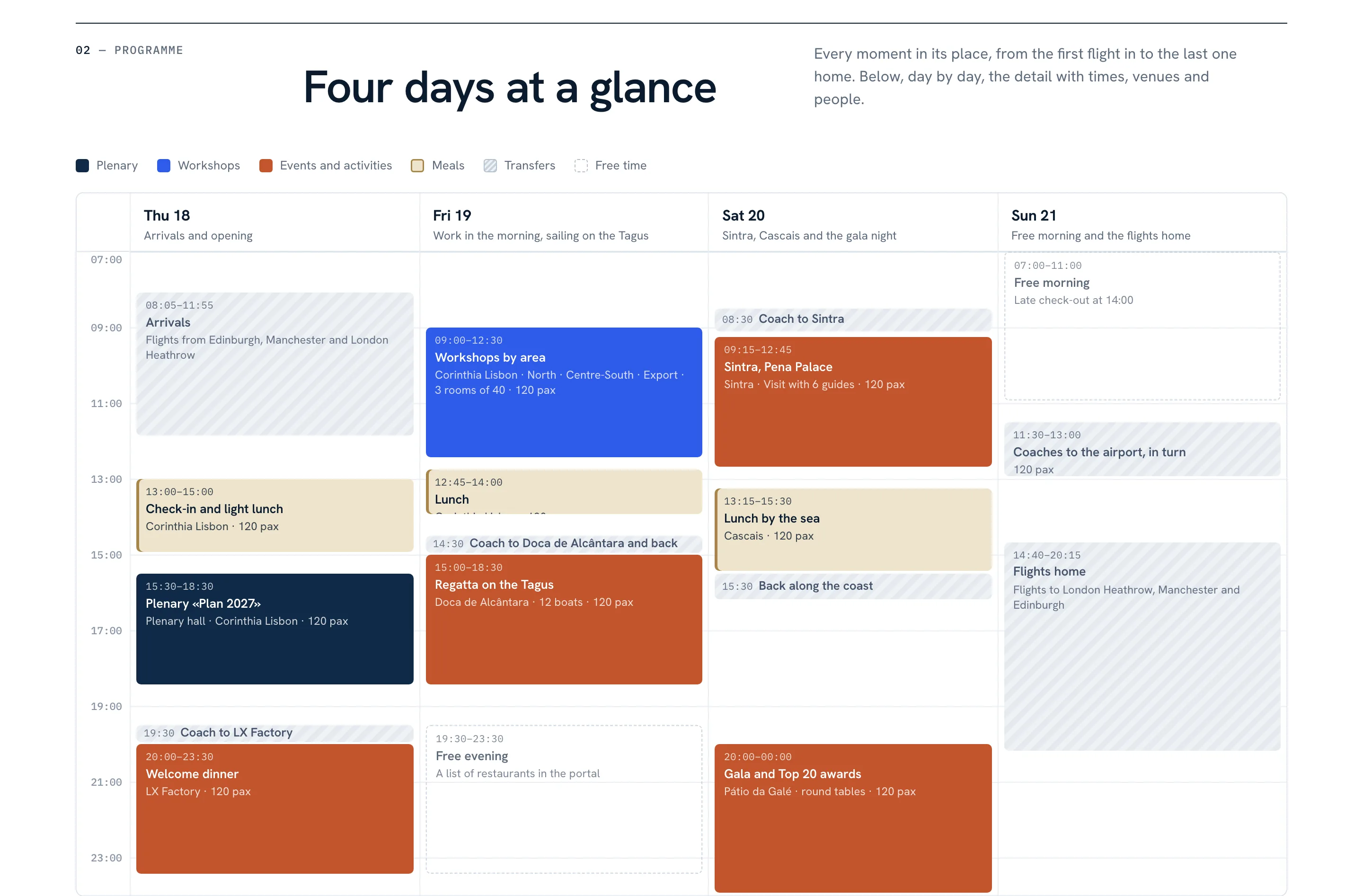
The whole week on one page, session by session
Plenaries, workshops, dinners and activities on a grid you drag and stretch. Beside them, the itinerary's flights and transfers, so you never set the plenary while half the group is still in the air.
- Who attends, by sub-group. North, Export, Top 20: seats are counted even before you have the names.
- Checks that advise. A flight landing too late, a room too small, a session with no cost: each with the button that fixes it.
- The cost stays in the quote. The session is linked to the service that pays for it, without writing it twice.
- The technical needs go to the supplier. Projector, microphones, direction, interpreting go into the request to the venue.
Congresses and parallel sessions
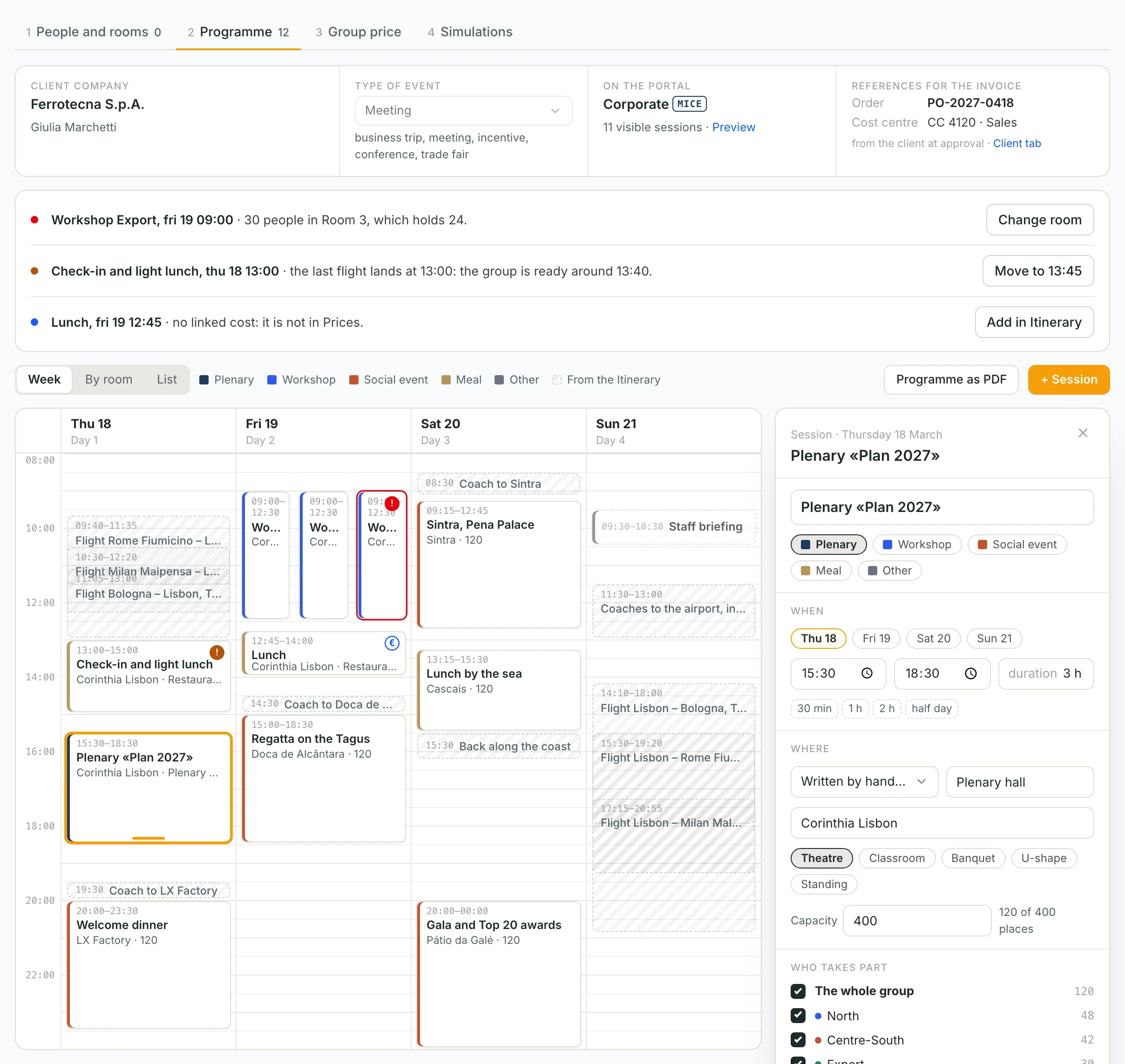
One column per room
For workshop mornings and congresses: each room with its capacity and set-up, the free room and the one too small at a glance. There is also the list as a table, to check and print.
From the client's programme
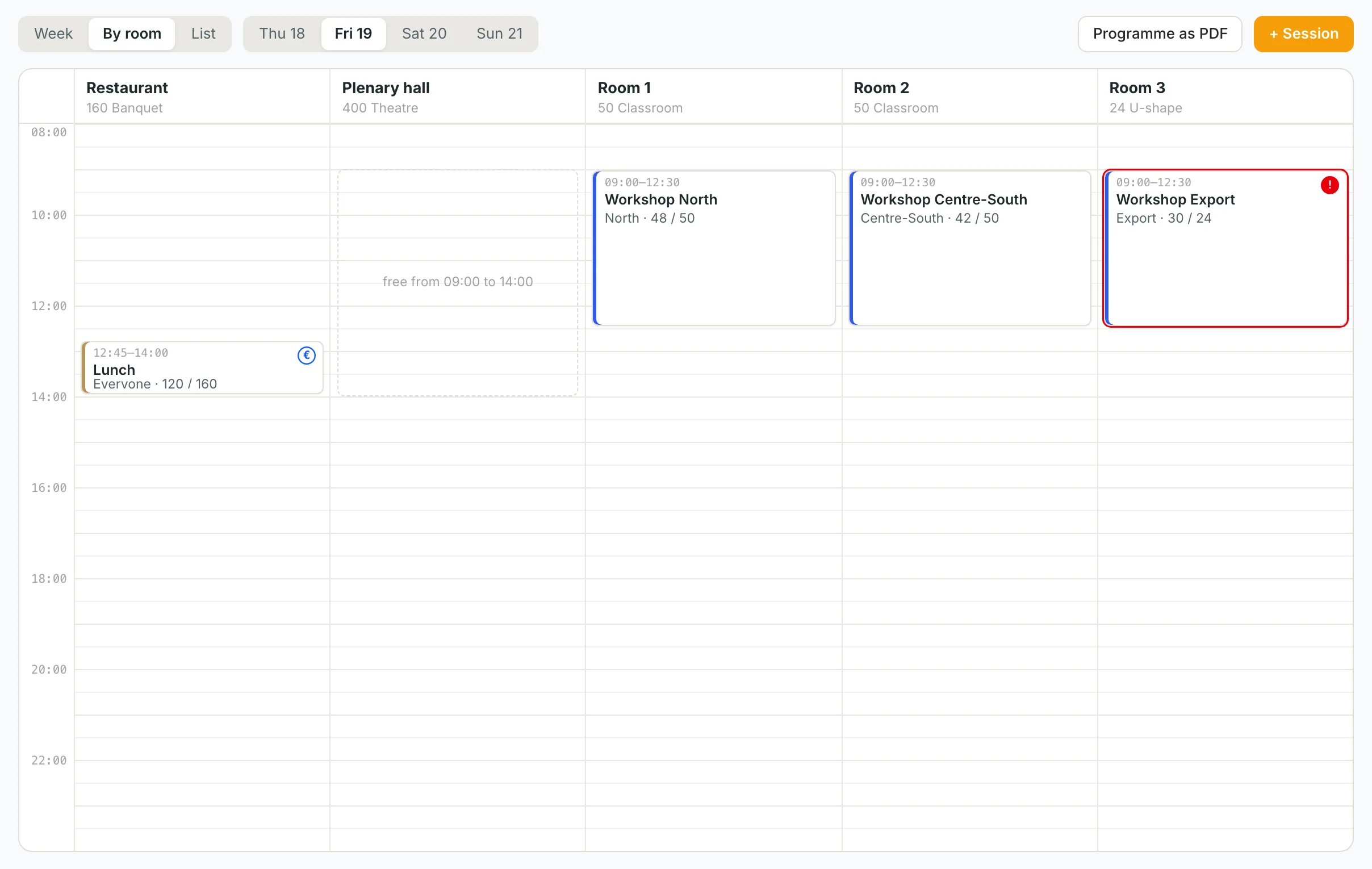
The programme your client sends becomes sessions
Upload the company's PDF, Word or Excel: AI proposes the sessions with day, times, room and type, and you confirm them one by one. Or create them from the services the itinerary already has, or by hand, clicking an hour on the grid.
The Corporate portalMICE
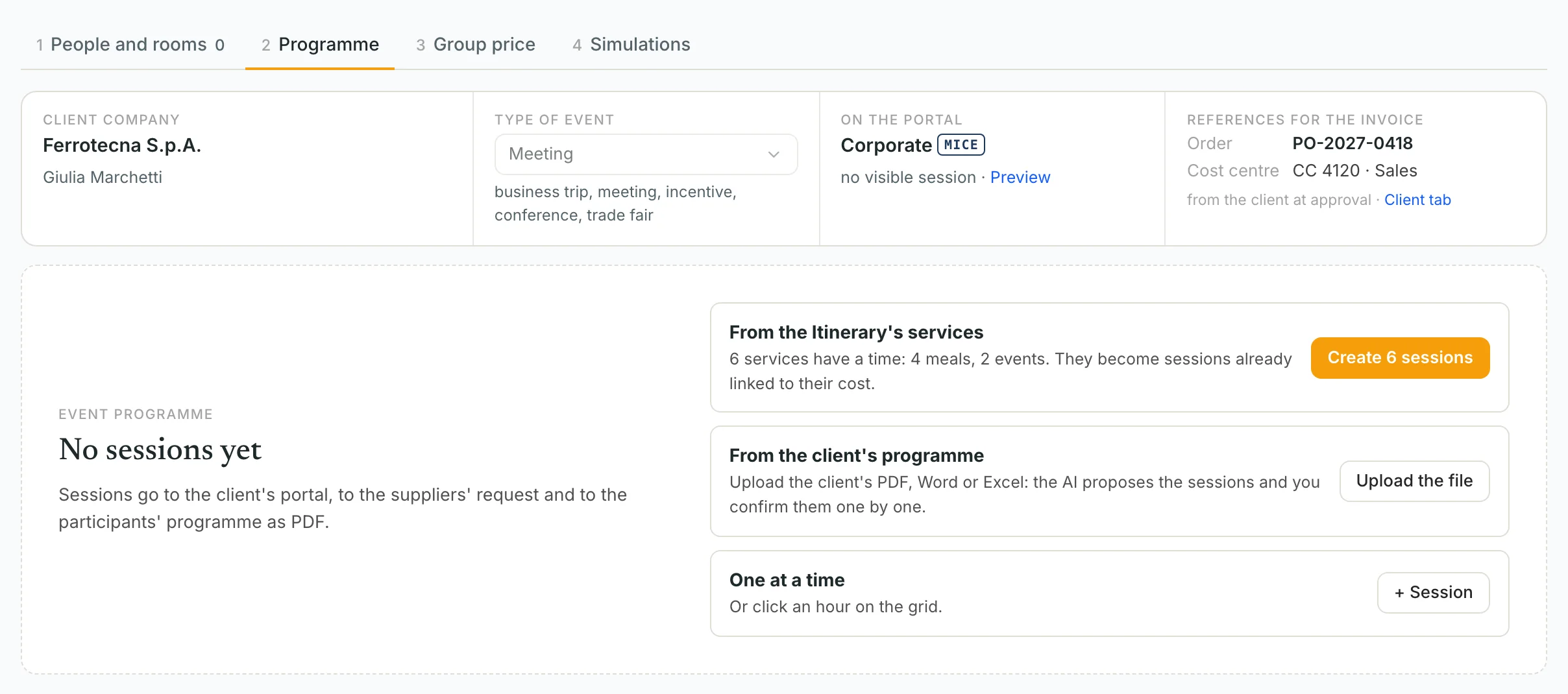
The proposal the company approves
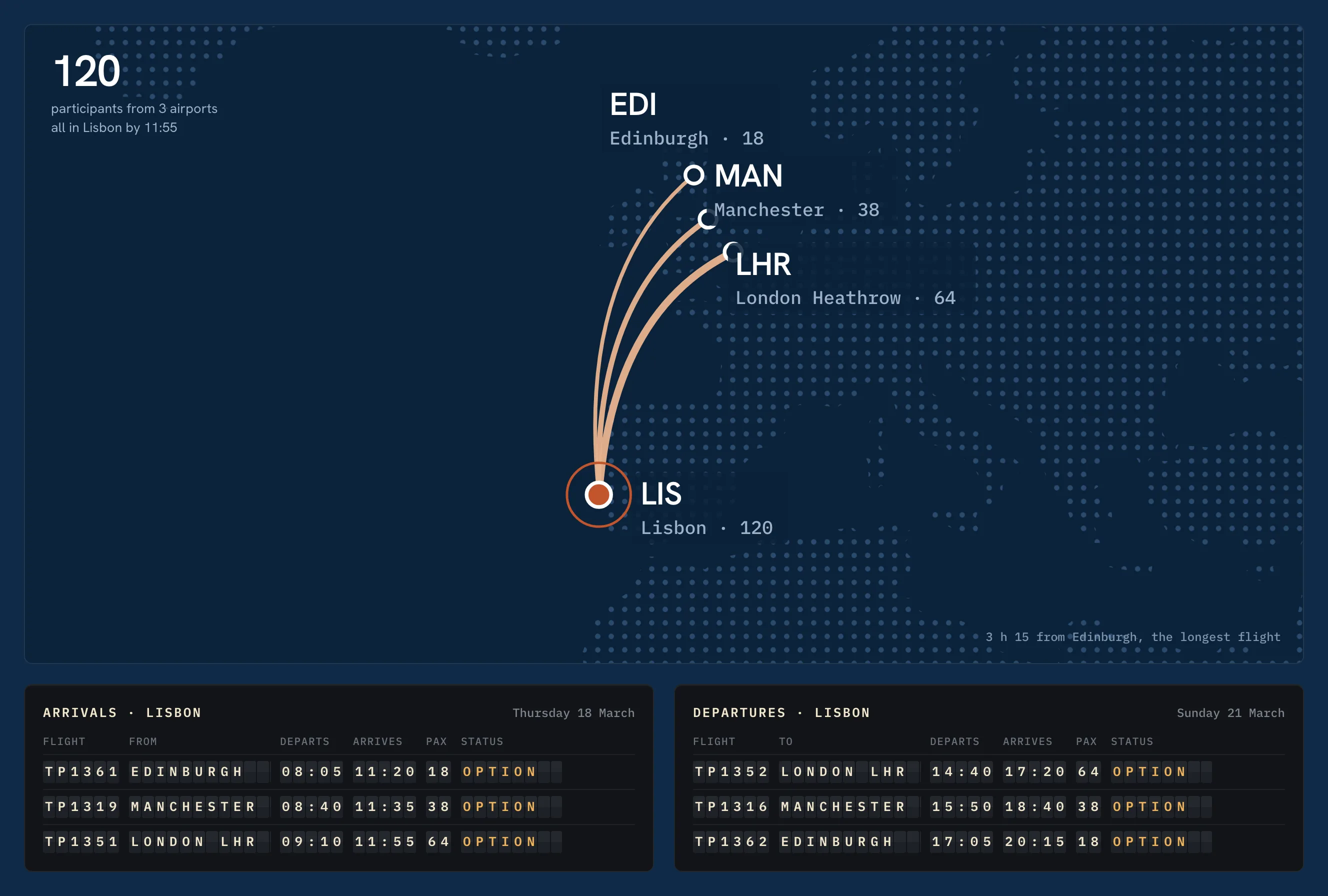
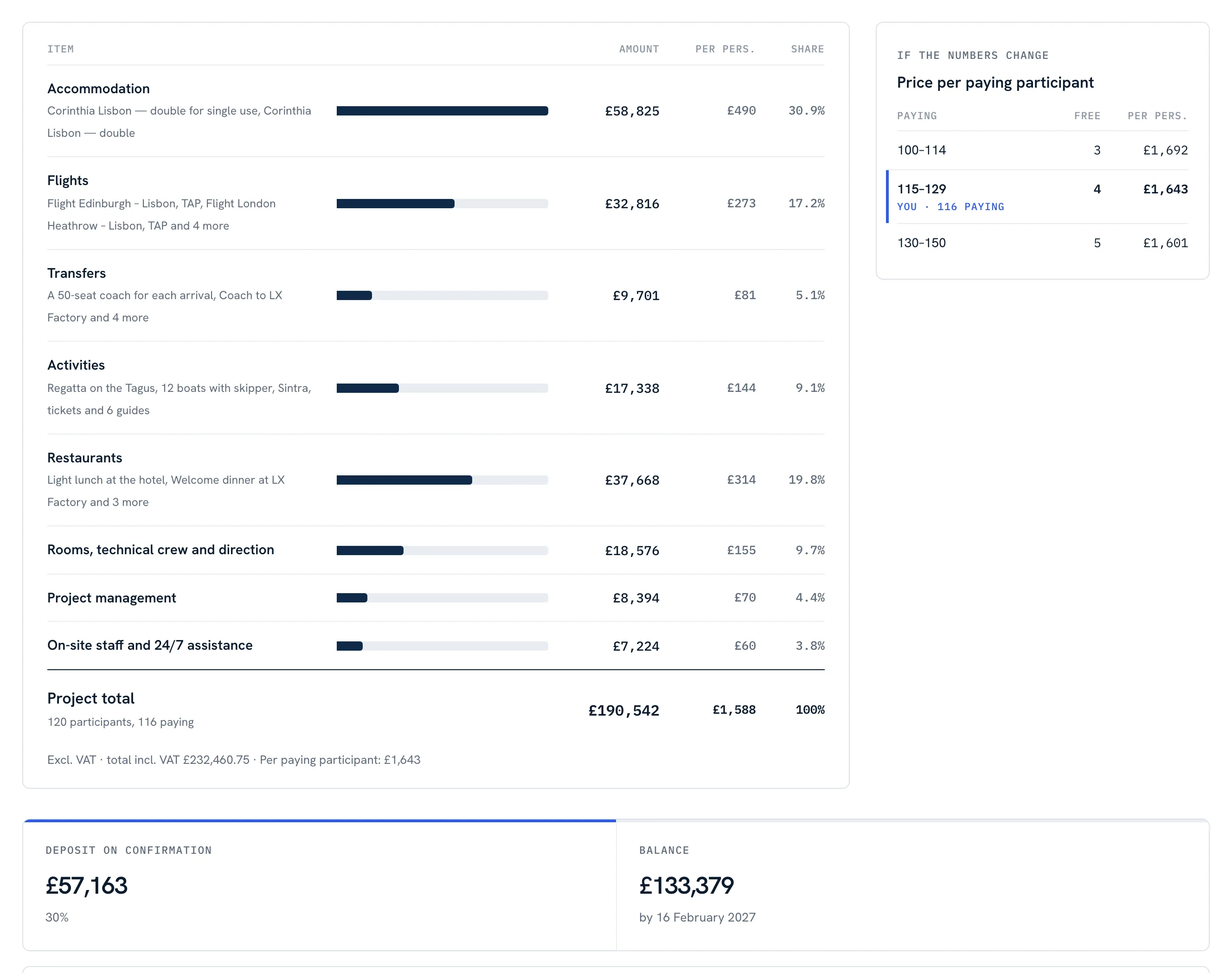
Whoever reads a corporate proposal is not who travels: it is who has to get a budget approved. The sixth portal layout puts the decision on the cover. Then the summary with what changes from the previous version, the agenda of the days, the flights from the departure cities, the venues and the budget item by item.
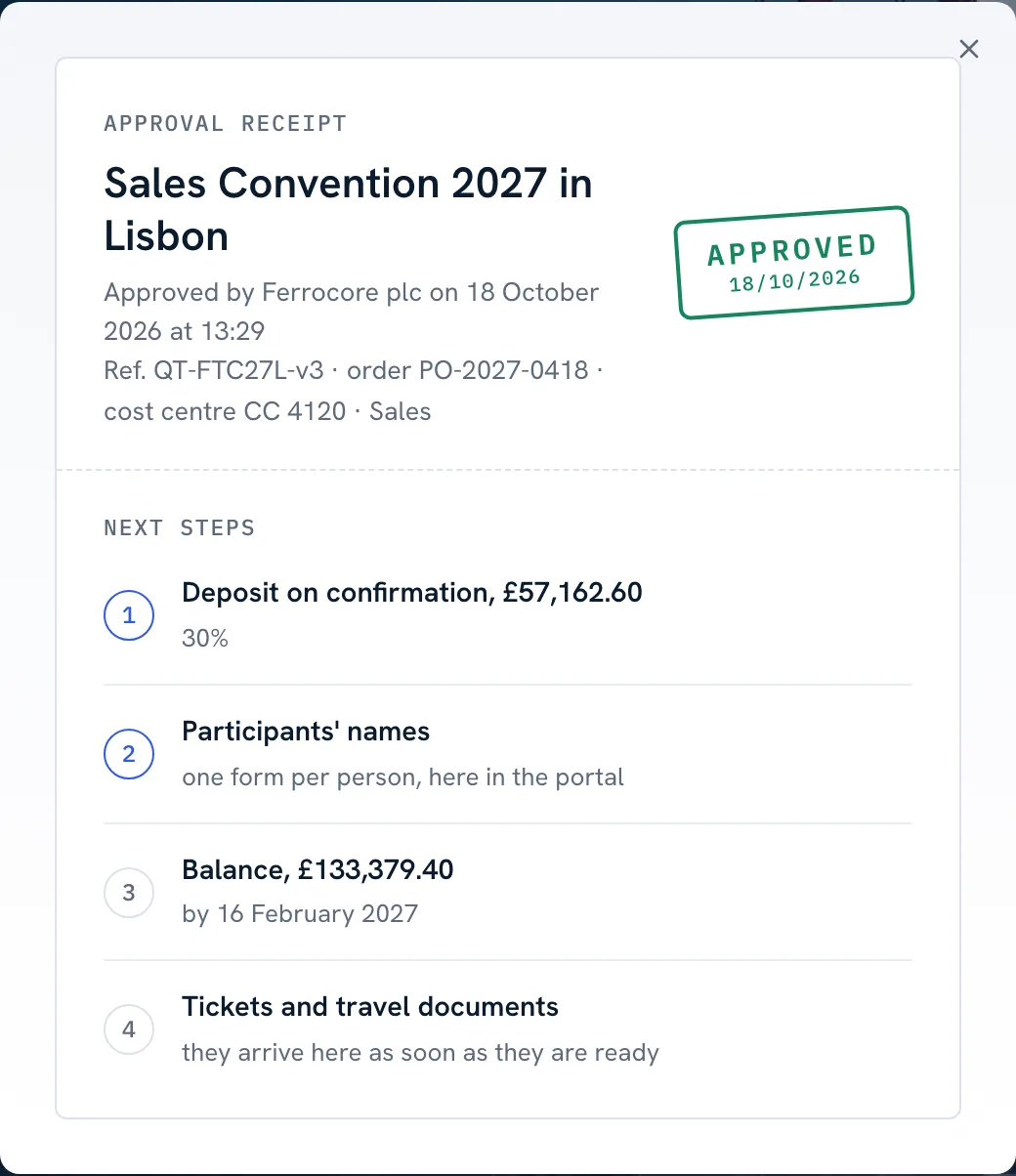
The moment of yes, with the order number
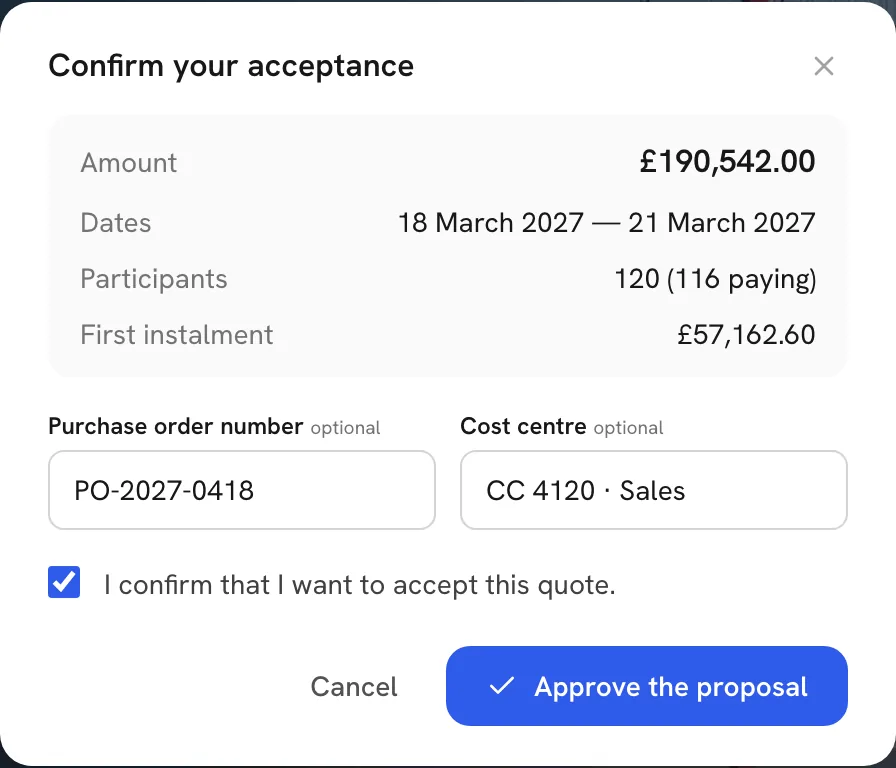
The decision-maker approves online and enters the purchase order number and cost centre, which land on the booking. A receipt comes out to pass to accounts, with the next steps: instalment, names, tickets.
«Forward» sends the proposal to whoever has to sign: the sales director, purchasing.
Down to the invoice
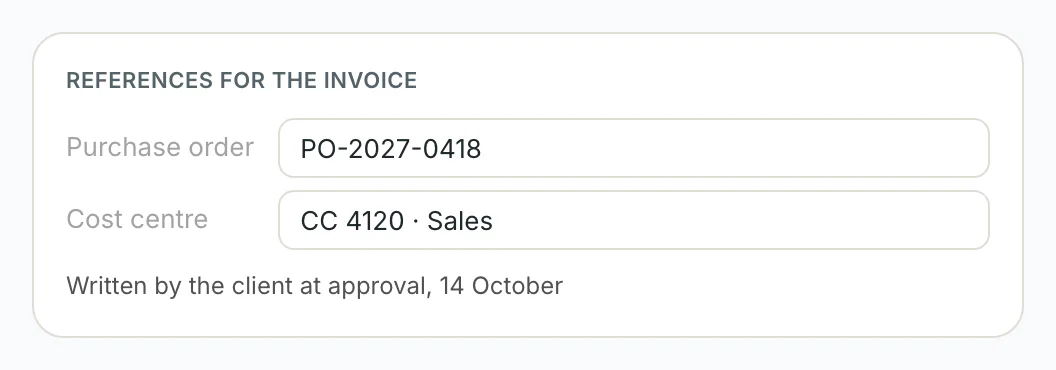
Order number and cost centre, where the company looks for them
Without the purchase order number the company asked for, the invoice comes back unpaid. The client writes it when approving, or you do in the Client tab, and it goes on every payment request and every invoice of the booking. If an invoice goes out without it, the CRM warns you.
Before and during the event
The people, then the event on the phone
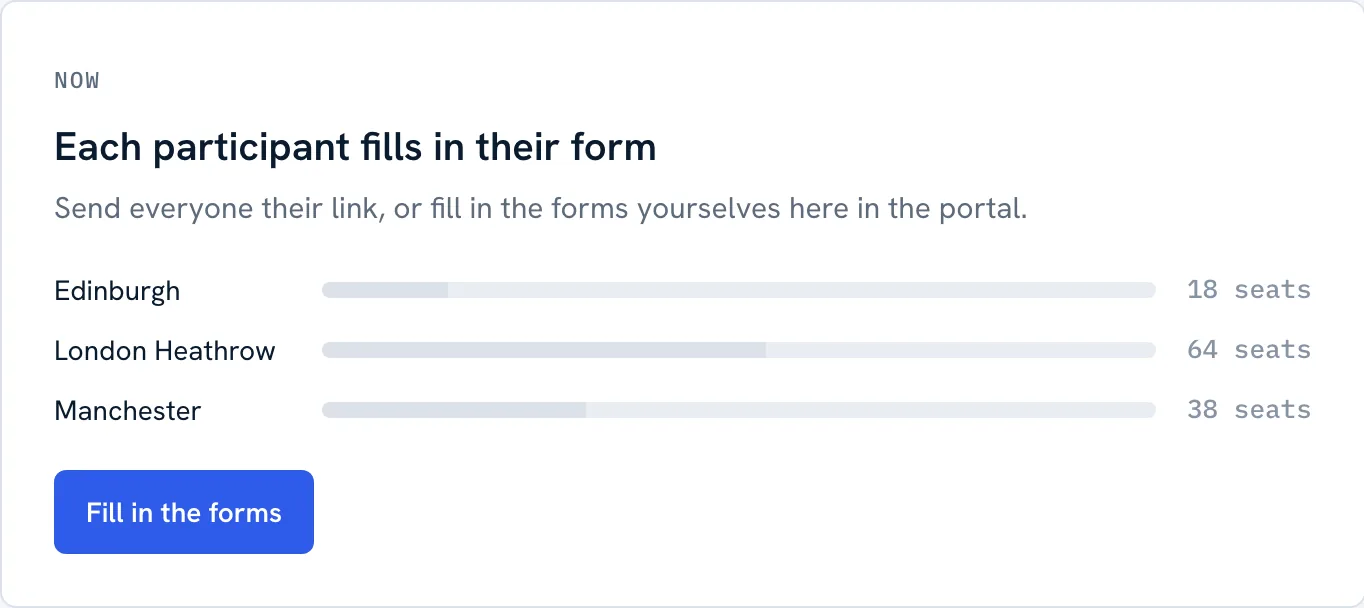
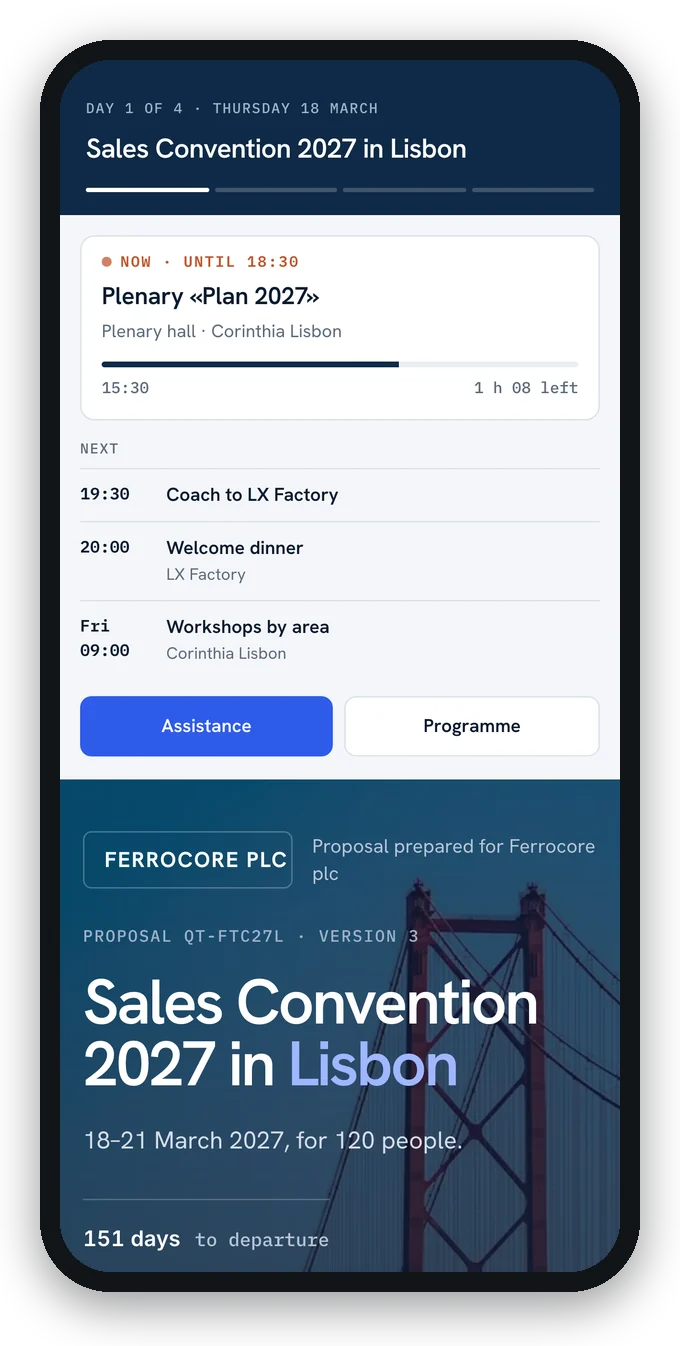
After the yes each participant fills in their form from their own link, and you see progress city by city. The travel sheet carries the event agenda. During the dates, the portal shows travellers the session under way, the next one and the assistance number.
From brief to event
One booking, from the brief to the invoice
The brief becomes a booking
Company, contact, type of event and expected participants. The quote stays on the same booking.
Price it on the real numbers
Bands, free places and the groups' price curve, with the budget item by item the company wants to see.
Build the programmenew
Sessions, rooms and technical needs, from the client's file or from the itinerary, with checks on flights and capacities.
Get it approved, bring the people in
Corporate portal with the order number, then the list, sub-groups, rooms, manifest and delegate's agenda.
No more Word, Excel and email chains
With spreadsheets
- The proposal is a PDF going round by email among four people
- The event programme is a Word file nobody updates
- The plenary is set before the last flight lands
- The invoice comes back without an order number
- The participants' forms arrive one email at a time
With itinovo CRM
- The proposal is approved online, with a receiptnew
- The programme lives in the quote and reaches the client in the portalnew
- The checks tell you when a session doesn't fit with the flightsnew
- Order number and cost centre go on every invoicenew
- Each participant fills in their form from their own linknew
What a corporate event needs
For conventions, incentives, congresses, trade fairs and corporate travel.
Frequently asked questions
Can I run congresses with parallel sessions?
Yes. Each session has its room, capacity and set-up; the per-room view shows the parallel sessions and warns you when a room is too small.
Can my corporate client approve online?
Yes, with the Corporate portal: the decision-maker approves the proposal, enters the purchase order number and cost centre, and gets an approval receipt. «Forward» sends it to whoever has to sign.
Does the order number reach the invoice?
Yes, on every payment request and invoice of the booking, in the electronic formats too: Factur-X and XRechnung, Facturae, the Italian e-invoice. If an invoice goes out without it, the CRM warns you.
Which plan is it in?
Groups and MICE are included from the Professional plan; the Corporate portal is among the portal layouts of the same plan.
Your next event, approved online
The programme room by room, the Corporate portal and the order number on the invoice, inside the booking where the quote already is.
Start free 30-day trialNo credit card requiredGuided setupExport your data