
Professional visuals for every document
Beautiful photos in your documents, automatically
Upload destination photos or search Unsplash. The CRM uses them in roadbooks, vouchers and the client portal, matching photos to destinations automatically.
No credit card required · Guided setup · Export your data
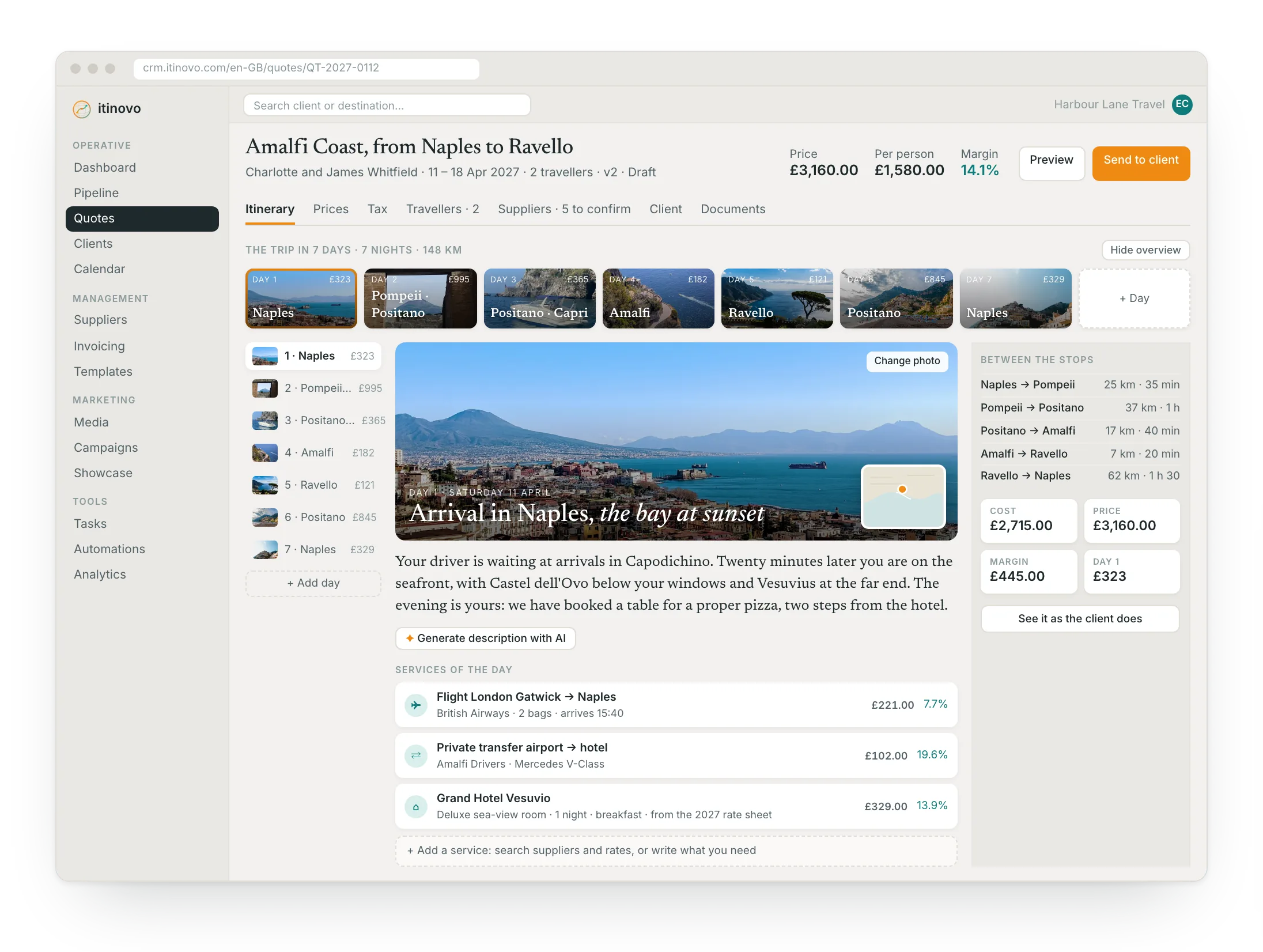
From photo upload to professional document
Organise once, reuse in every trip to that destination.
- 1
Upload or search
Upload your own photos or search Unsplash by destination. Tag photos with the destination they belong to.
- 2
Photos auto-matched
When generating a roadbook or voucher, the system picks matching destination photos automatically.
- 3
Professional output
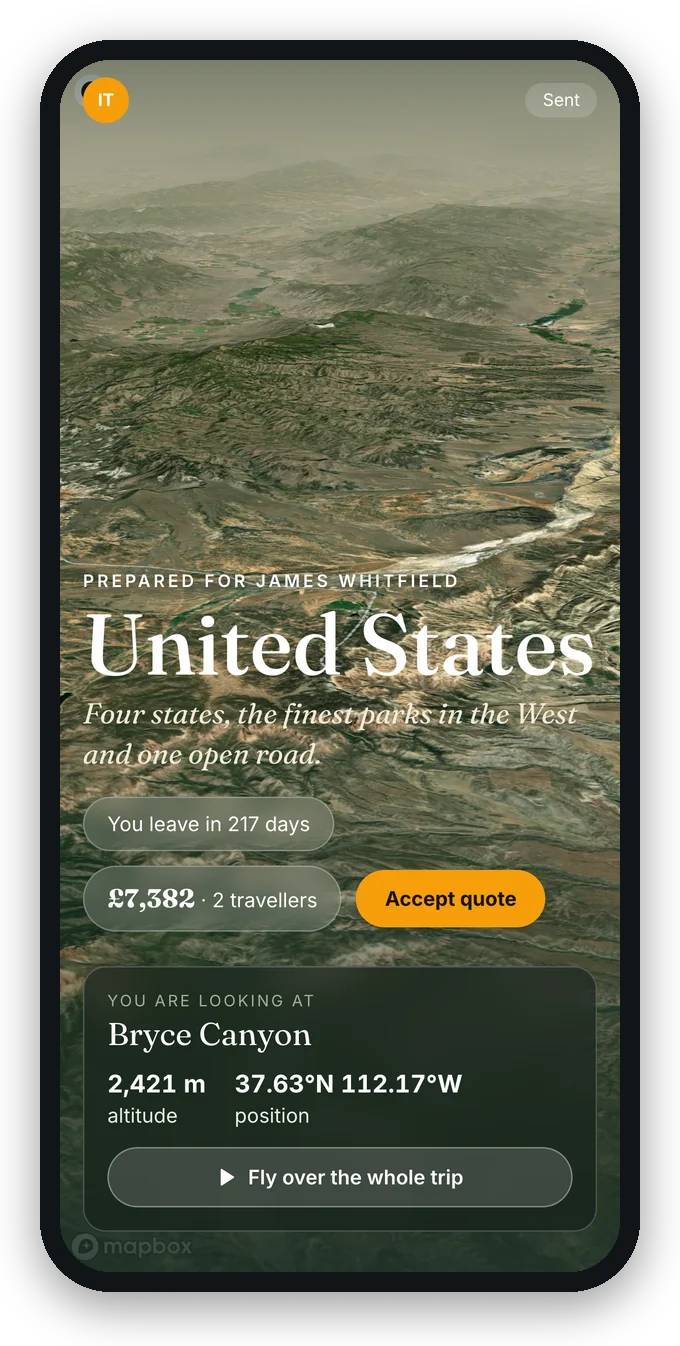
Clients receive documents and a portal experience enriched with relevant, high-quality visuals.
Stop building documents without visuals
Without a media library
- Documents are text-only walls of information
- Photos searched manually every time
- Inconsistent image quality across documents
- No visual connection between portal and roadbook
- Generic stock photos that could be anywhere
With itinovo CRM
- Documents enriched with destination photos
- Photos organised by destination, reused automatically
- Consistent visual quality across all outputs
- Portal hero and day banners from your library
- Curated images that match the actual trip
Visual quality that sets your agency apart
Photos flow into roadbooks, vouchers and the client portal without manual work.
- Organised by destination
- Each photo is tagged with a destination. When a trip to Bali is generated, Bali photos appear automatically.
- Unsplash integration
- Search millions of professional photos directly from the media library. One click to add to your collection.
- Used across documents
- Roadbook covers, day section banners, voucher headers and portal hero images: all from the same library.
- Campaign folders
- Organise marketing images into folders for email templates.
Frequently asked questions
- Where do the photos come from?
- From your own uploads and from an integrated stock library, organised by destination, supplier, service and campaign.
- Do I have to resize images myself?
- No. Every upload is optimised for the web and for print, with thumbnails generated automatically.
- Where do the photos end up?
- In the client portal, the roadbook, the vouchers and the marketing emails, following the photo you assigned to each service.
Make your documents as beautiful as the trips you sell
Organise destination photos once and let the CRM use them everywhere: roadbooks, vouchers, portal.
Start free 30-day trialNo credit card requiredGuided setupExport your data