
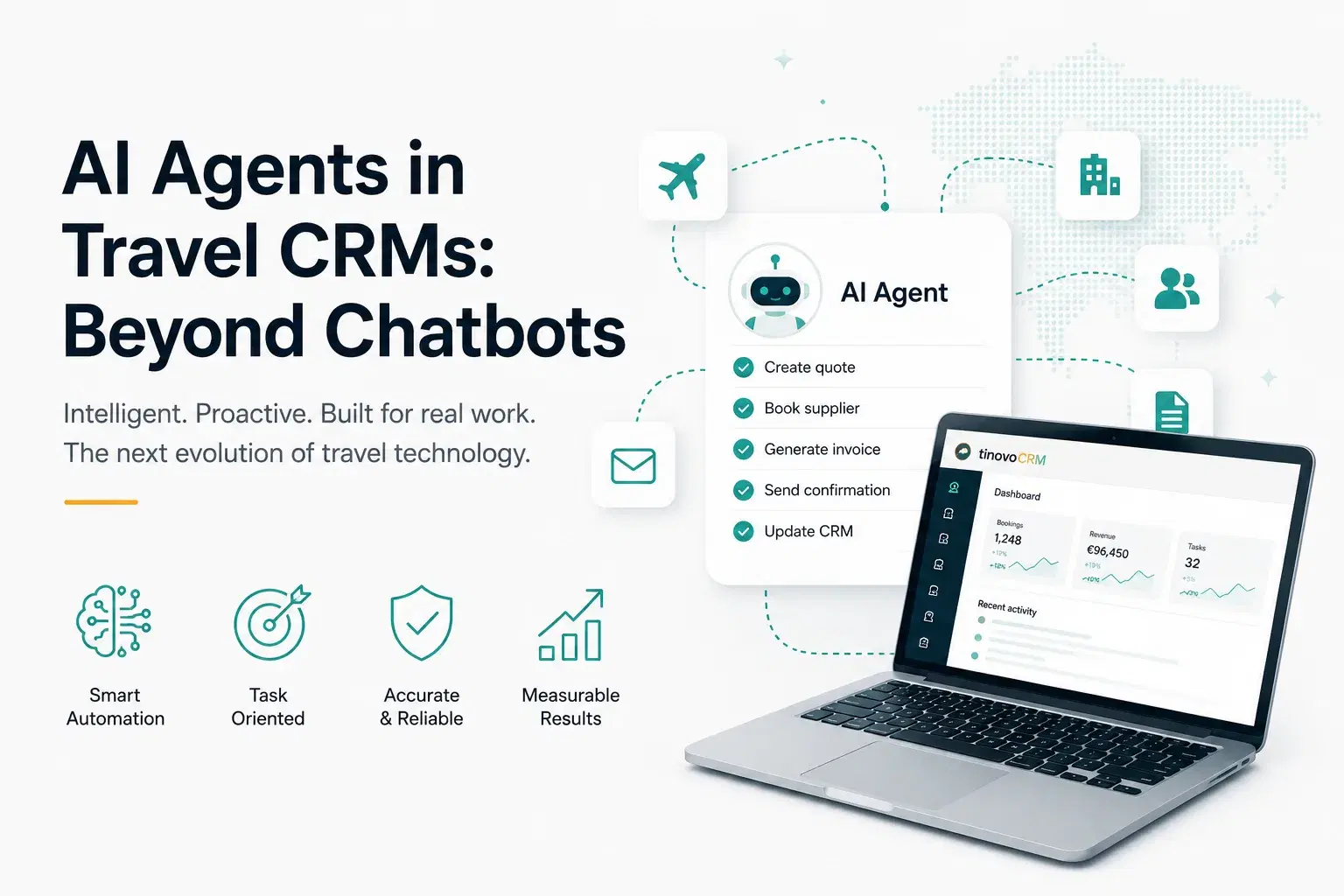
AI Agents in Travel CRMs: Beyond Chatbots
How AI agents that execute real operations (not just answer questions) are transforming travel agency workflows in 2026.
The difference between a chatbot and an AI agent
A chatbot answers questions from a knowledge base. An AI agent executes operations on your data. When you say 'create an invoice for the Rossi trip and send it', an agent actually creates the invoice, generates the PDF, and sends the email: not just tells you how to do it.
This distinction is fundamental and often misunderstood. Most "AI assistants" in business software are glorified search engines, they can find information in your help documentation and present it conversationally, but they cannot actually do anything. They are read-only interfaces to a knowledge base. An AI agent, by contrast, has the ability to call real APIs, modify real data, and trigger real workflows. It is the difference between asking someone for directions and having someone drive you there.
In the context of a travel CRM, a chatbot might tell you "To create an invoice, go to the Invoicing section, click New Invoice, select the lead, and fill in the details." An AI agent, when given the same request, actually navigates to the invoicing system, creates the invoice record, populates it with data from the specified lead (client details, services, amounts, TOMS calculation), generates the PDF, and sends it to the client via email. The entire multi-step workflow executes from a single natural language instruction.
The technology enabling this shift is tool calling: the ability of large language models to determine which API functions to invoke based on natural language input, construct the correct parameters, execute the calls, and interpret the results. This is not science fiction; it is production-ready technology deployed in enterprise software today.
What a travel AI agent can do
Search clients and leads by name or destination. Create quote drafts from templates. Generate and send invoices. Check departure schedules. List overdue payments. Send supplier confirmation emails. Duplicate quotes. Mark commissions as paid. All through natural language in your own language.
The range of operations spans both read and write categories. Read operations (searching, listing, summarising) execute immediately without confirmation because they do not modify data. You can ask "show me all leads departing next week" or "which suppliers have unpaid commissions over 500 EUR" and get instant results formatted as clear tables or summaries.
Write operations (creating, sending, modifying) require explicit confirmation before execution. When you say "create an invoice for the Bianchi booking," the agent prepares the invoice, shows you a summary (amount, client, services included), and asks "Shall I create this invoice?" Only after your confirmation does it execute. This confirmation pattern prevents accidental modifications while maintaining the speed advantage of natural language interaction.
The agent understands context and can chain operations. "Create an invoice for the Rossi trip, generate the PDF, and send it to the client" is three distinct operations (create record, generate document, send email) that the agent executes sequentially, reporting the result of each step. If any step fails (for example, the client has no email address on file) the agent reports the issue and asks how to proceed rather than silently failing.
Multi-language support means the agent understands and responds in Italian, English, French, German, and Spanish. An Italian operator can type "mostrami le fatture scadute" and receive results in Italian. A French operator can ask "quels sont les departs de la semaine prochaine" and get the same data formatted in French. The language of interaction is independent of the data language.
The trust problem
Agents that modify data need guardrails. Write operations should require confirmation ('Shall I send this invoice?'). Read operations can execute immediately. Rate limits prevent runaway costs. Audit logs track every action for accountability.
Trust is the central challenge in deploying AI agents for business operations. Unlike a chatbot that can only show information (worst case: it shows wrong information), an agent that can modify data has the potential to cause real harm, sending an invoice to the wrong client, deleting a quote, or marking a payment as received when it was not. The guardrail architecture must be robust enough to prevent these scenarios while remaining lightweight enough not to negate the productivity benefits.
The confirmation pattern is the first line of defence. Every write operation presents a summary of what will happen and requires explicit user approval. The agent cannot autonomously decide to send emails, create records, or modify data: it always asks first. This creates a human-in-the-loop checkpoint for every consequential action.
Rate limiting provides the second layer. Even with confirmation, an agent should not be able to execute an unlimited number of write operations in a short period. Configurable limits (e.g., 10 write operations every 5 minutes for Business plans) prevent both accidental loops and potential abuse. If the limit is reached, the agent informs the user and suggests waiting or contacting support.
Audit logging is the third layer. Every tool execution (successful or failed, read or write) is recorded with a timestamp, the user who initiated it, the parameters used, and the result. This creates a complete accountability trail. If something goes wrong, you can trace exactly what happened, when, and who approved it. Audit logs are retained for 90 days and are accessible to agency administrators.
Practical example: morning routine
Instead of clicking through 5 different screens, you open the chat and say: 'Show me today's departures, any overdue invoices, and leads without activity for 7 days.' The agent queries your data and presents a formatted summary in seconds.
Let us walk through a realistic morning scenario for a travel agency operator. You arrive at the office, open the CRM, and instead of navigating to the calendar, then the invoicing page, then the pipeline with filters: you simply type: "Buongiorno. Cosa ho in programma oggi?"
The agent responds with a structured summary: "Good morning. Here is your overview: 2 departures today (Famiglia Rossi to Sardinia, Sig. Mueller to Dolomites). 3 overdue invoices totalling 4,200 EUR (Bianchi 1,800 EUR 12 days overdue, Conti 1,400 EUR 8 days overdue, Dupont 1,000 EUR 5 days overdue). 4 leads without activity for 7+ days (Martinelli - Maldives, Garcia - Andalusia, Schmidt - Tuscany, Leroy - Corsica)."
From this summary, you can immediately take action: "Send a payment reminder to Bianchi", the agent generates and sends the reminder email with the invoice PDF attached. "Show me the Martinelli lead details": the agent displays the lead information with a link to open it directly. "Create a follow-up task for Garcia, due tomorrow", the agent creates the task and assigns it to you.
This entire interaction takes 30 seconds. The equivalent manual workflow: opening 4 different pages, applying filters, scanning results, then navigating to each action, would take 5-10 minutes. Multiply this by every morning, and the productivity gain is substantial.
When AI agents make sense
AI agents shine for repetitive multi-step tasks: 'create invoice from this quote, generate PDF, send to client' is 3 clicks in a UI but one sentence in chat. They also help with discovery: 'which suppliers have rates expiring this month?' is faster to ask than to navigate to the right filter.
The sweet spot for AI agents is operations that are: (1) multi-step (requiring navigation between different sections of the application), (2) repetitive (performed frequently with slight variations), and (3) well-defined (clear inputs and expected outputs). Invoice creation from a confirmed quote is the canonical example: it involves reading quote data, creating an invoice record, calculating TOMS, generating a PDF, and optionally sending it. Each step is straightforward but the sequence is tedious when performed manually dozens of times per month.
Discovery queries are another high-value use case. "Which clients have not travelled in the last 12 months?" requires navigating to the client list, applying a date filter on last trip, and sorting the results. Asking the agent is faster and more natural. "What is our average margin on Maldives bookings this year?" requires the analytics page with specific filters. The agent can answer instantly by querying the underlying data.
Agents are less suitable for creative or judgment-heavy tasks. Building a complex multi-destination quote with careful service selection, margin optimisation, and client-specific customisation is better done in the visual quote builder where you can see the full picture. The agent can help with parts of this process (suggesting rates, checking availability, duplicating from templates), but the overall composition benefits from the spatial awareness that a visual interface provides.
The cost equation
The AI Agent is included in the Business plan at no additional per-action cost. The subscription covers everything. The ROI is immediate for agencies processing more than 10 bookings per month, the time saved on a single invoice creation already pays for itself.
Let us quantify the value. A typical invoice creation workflow (manual) takes 8-12 minutes: open the lead, review services, create invoice, enter line items, applies the margin scheme, generate PDF, compose email, attach PDF, send. With the AI agent, the same workflow takes 15 seconds: type the instruction, review the summary, confirm. That is 10 minutes saved per invoice.
An agency processing 30 bookings per month generates approximately 30-45 invoices (deposits, balances, extras). At 10 minutes saved per invoice, that is 300-450 minutes per month, roughly 5-7 hours of pure administrative time recovered. At an average operator cost of 25-35 EUR per hour, the monthly saving is 125-245 EUR. The Business plan costs 249 EUR per month, meaning the AI Agent alone nearly pays for the plan upgrade: before considering time saved on searches, follow-ups, commission tracking, and other operations.
The calculation becomes even more favourable when you consider the compound effect. Time saved on administration is time available for revenue-generating activities: consulting with clients, building complex quotes, nurturing leads, and developing supplier relationships. An agent that handles the routine frees the human to focus on what humans do best, building relationships and solving complex problems that require judgment and creativity.
There are no per-action fees, no token charges, and no usage caps that would make operators hesitate to use the agent. The subscription includes everything: unlimited read operations and a generous allocation of write operations (500 per month for Business, unlimited for Enterprise). This removes the psychological barrier of "is this query worth the cost?" that plagues per-usage pricing models.
Ready to modernise your agency?
itinovo CRM handles margin scheme VAT, quotes, invoicing and suppliers, so you can focus on your clients.
Start free trial