
Talk to your CRM. Connect every system.
Talk to itinovo as you would to a colleague: it finds, writes, works out. And bring in your data from every system you use — suppliers' price lists, the clients' spreadsheet, emails, your old software — without waiting for an integration.
- Work by asking
- Import from any system
- Never a duplicate
- Nothing sent to clients
Included in every itinovo plan. You need a Claude account: for client data, a Team or Enterprise one.
Load Villa Clementina's 2027 rates
- Import supplier
Done:
Put it in the Martins' quote: nights 3 to 5, Superior sea view, half board
- Quote to edit
- Quote services
Done, on the draft of Martin — Amalfi Coast:
Nothing was sent: you send the quote from the app.
Watch itinovo with Claude in two minutes
The video is on YouTube (Google). It loads only if you press play: from then on Google receives your IP address and device data, including in the United States. Privacy notice.
Not just words: Claude shows you the trip
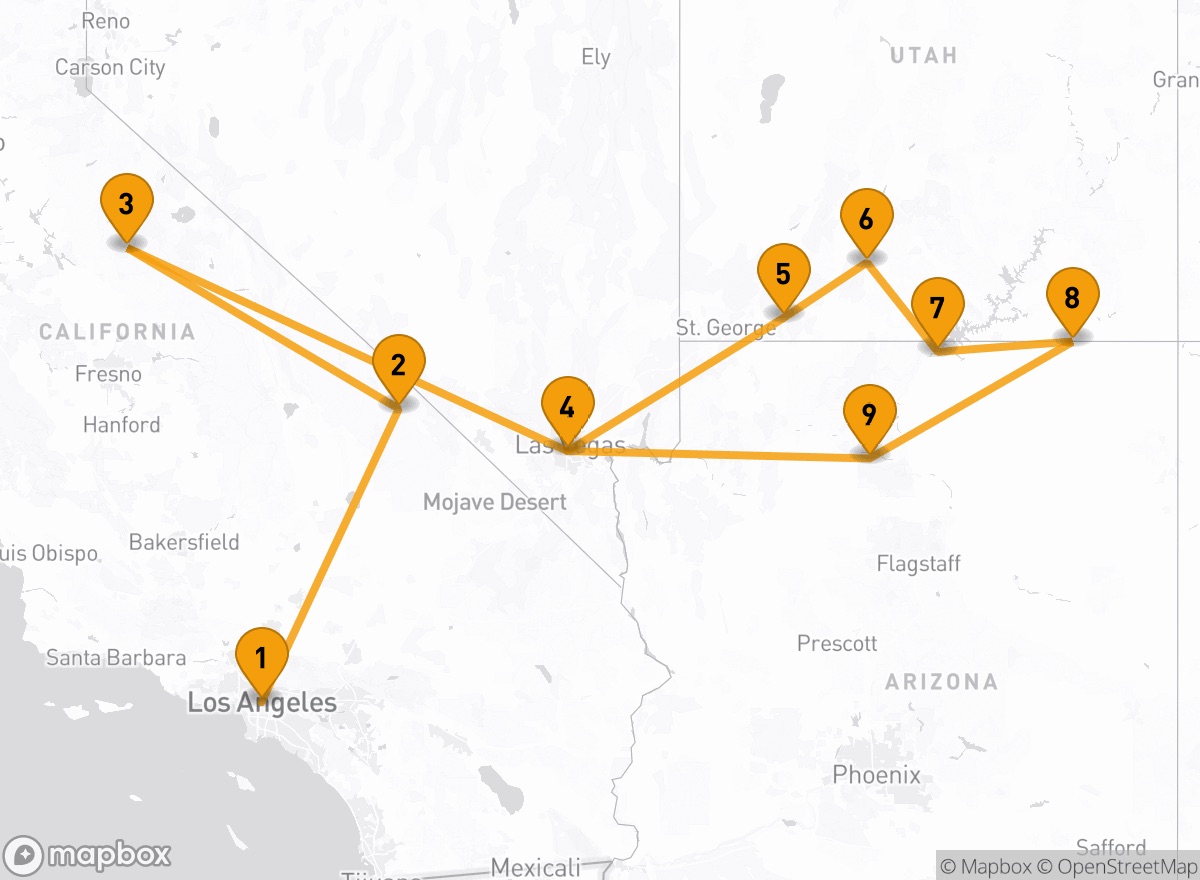
The quote arrives as a card with price and margin, and opens full screen on the itinerary day by day, with the photos and the map of the stops. The departures, your suppliers' hotels and what an import did: all to look at, not to read.
The departures, with what is missing
"Who leaves this month?" One card per trip, with what it still needs, as on the Dashboard.
Your suppliers' hotels
"Which hotels do I have between Page and the Grand Canyon for 23 May?" Only your suppliers, with the net rate for those dates.
A price list loaded, at a glance
"Load the Bellagio's price list." What went in, what did not and why: the rows to fix are fixed in the chat.
On the phone and in dark mode, like the rest of Claude. Costs and margins appear only to whom the role shows them; nothing reaches the clients.
Every system you use is already connected
If Claude can read it, itinovo receives it: a file, an email, an archive. No connector to buy, no integration to wait for.
This year's contract
The PDF or spreadsheet the hotel sends you, read line by line.
The supplier with its card; rates by season, room and board; supplements, minimum stays and closing days.
Load this hotel's 2027 rates
Your client files
Even the messiest file: names, dates and phone numbers written any old way.
Clients with address, date of birth, notes and travel companions; those already there are updated.
Load these clients
The request becomes a quote
The request pasted or forwarded, with what the client wrote.
Client, booking and draft quote with days, services and prices.
Prepare the quote from this email
The confirmation recorded
The email or voucher confirming the reservation.
Confirmation code, price, payment due dates, cancellation fees, deposit and balance.
Record this confirmation for the Ferris
The package you resell
The tour operator's programme, to offer to your clients as theirs.
A day-by-day quote, “organised by” the tour operator, with your mark-ups and rewritten texts.
Prepare this programme's Morocco tour for the Whites
What you have already sold
The Word or PDF offers from before itinovo.
Quotes to reuse and to save as templates, with days, services and prices.
Turn this offer into a template
Load again, never twice
Suppliers, rates and clients already there are recognised and updated: tomorrow, make the same request with the new prices.
Everything there is, nothing made up
Every detail the source gives goes in. What it does not say stays empty, never guessed.
Line-by-line outcome
At the end you know what was created, what was updated and what was left out, and why.
Everyday work, in one sentence
Claude reads and writes in the CRM what you read and write: bookings, quotes, clients, suppliers and rates.
Texts that sell
Day titles and narratives, service descriptions, what is included. In the client's language.
Rewrite days 3–5 of the Weber quote in a warmer tone, in German.
Costs and mark-ups
Costs, nights, mark-ups or prices of the services in drafts, recalculated as in the editor.
Set the hotels' mark-up on the Moreau quote to 18%.
The client changes their mind
On a quote already sent, Claude prepares the new version, for you to send when you like.
The Moreaus want two more nights in Kyoto: make version 2.
The week at a glance
Departures, deadlines and open tasks, with what each booking is missing.
Which departures do I have next week, and what is missing?
Requests to suppliers
Availability and confirmations from suppliers, with your agency's template. Claude asks you before writing.
Ask Japan Luxury DMC for availability on 12–15 May.
The agency's figures
Sales, margin and payments received in the period, as on the Analytics page. For administrators.
How did the quarter go compared with last year?
The agency's work, already explained to Claude
The connector opens itinovo to Claude. The itinovo CRM plugin, in Claude's plugin directory, adds skills: the everyday work written out step by step, which Claude follows through the connector.
Connector
The access
Claude reads and writes in itinovo with your role and your permissions.
- Needed for everything
- Connected from Settings → Integrations, then in Claude among the connectors
- Included in every itinovo plan
Plugin
The method
Skills for the agency's work: Claude knows where to start, what to check and what to ask you before saving.
- Optional and free, uses the connector
- Added in Claude, among the plugins
- With a paid Claude plan
Selling
Quote from a request
From the client's email or message to a booking with a draft quote, priced with your own suppliers.
Prepare the quote from this email
Quotes waitingcoming soon
The quotes with no answer yet, with the next step for each: a follow-up with a draft message, a new version or the booking lost, always after your yes.
Whom should I call back this week?
Revise a sent quote
The new version after the client's request: what you sent stays as it was.
The client wants to leave a week later: revise the quote
From an old offer to a templatecoming soon
An offer you have already sold, in Word or PDF, or the programme of a tour operator you work with becomes a ready template, with your own suppliers.
Turn this offer into a template
Clients, suppliers and groups
Import clients
A list from a spreadsheet or your old software, cleaned up: those already there are updated, not doubled.
Import these clients
Client emails on the booking
Emails exchanged with the client join the booking's Communications: only those you choose. Nothing is sent.
Record this week's emails on the booking
A supplier's price list
The price list or contract, in PDF or Excel, becomes the supplier with its rates by season, room and board.
Load this hotel's 2027 price list
Supplier confirmationscoming soon
Asks for the confirmations still missing, after your yes, and records code, price, penalties and due dates from the supplier's answer.
Record this confirmation from the hotel
A group from the client's filecoming soon
The participant list becomes sub-groups and travellers; for an event, the programme's sessions too, with their checks.
Load the participants in this file
Departures and accounts
The week's departures
The coming departures with what each still misses, the day's tasks and the next steps.
What needs doing this week?
Departure documentscoming soon
Checks the coming departures and prepares road book, vouchers and contract. Nothing is sent: you send them from the app.
Prepare the documents for next week's departures
The period's numberscoming soon
Sold, margin and collected against the period before, and what clients still owe. For administrators.
How did the quarter go?
Record in the accounts
Invoices, payments and refunds of the period in your accounting software, without doubles and only after your yes.
Record September's invoices
How to add it
- Set up the connector: the three steps below.
- In Claude open Customize → Plugins → Discover, search for itinovo CRM and press Add.
- Ask as always: Claude uses the right skill, in Cowork and Claude Code too.
It works with your permissions, no further
- Your role, your scope
- Claude sees and changes only what you see and change in the app. A colleague with fewer permissions has a Claude with fewer permissions.
- It asks you first
- Deleting, changing a price or writing to a supplier always goes through your confirmation.
- Everything logged
- Every action of Claude is in the agency's «What AI did», and the booking's history reads “via Claude”.
- The agency decides
- The account holder or an administrator enables Claude for the agency; then each person connects their own. Disconnect with one click.
Claude never does this
- Send quotes, documents or messages to clients
- Book or pay on outside systems
- Take payments, request payments, issue invoices
- Read identity documents and health data
- Import supplier · Villa ClementinaClaude10:42
- Quote servicesClaude10:44
- Quote textsClaude10:51
Three steps, five minutes
Enable it for the agency
The account holder or an administrator, in Settings → Integrations → Claude, reads what happens to the data and enables it.
Continue with Claude
Each person, from the same card: Claude opens, you add itinovo among the connectors and sign in with your itinovo account.
Ask, or import
On claude.ai, in the desktop app or on your phone. Files to import are attached to the conversation.
Before you connect it
- Which systems can I import from?
- From your own data: suppliers' price lists and contracts, spreadsheets and client files, emails, confirmations and vouchers, programmes of the tour operators you work with, your old software. Just attach or paste them into the conversation, with no dedicated integration. Only import data you have the right to use.
- If I import again, are duplicates created?
- No. Suppliers, rates and clients already there are recognised and updated: when the new price list arrives, repeat the same request.
- What about photos?
- Photos do not go through Claude: you upload them in the supplier's Media tab, confirming you have the right to use them.
- Do I need a Claude subscription?
- You need a Claude account. To work on client data we recommend a Team or Enterprise plan, which has a data processing agreement and does not use conversations to train models.
- What is the difference between the connector and the plugin?
- The connector gives Claude access to itinovo, with your role: it is always needed. The plugin, optional and free, adds skills for the agency's work and uses the same connector, with no extra permissions. You add it in Claude, among the plugins, with a paid Claude plan.
- Is it included in my itinovo plan?
- Yes, in every plan, with an active subscription. Claude's actions do not use up your plan's AI requests.
- Can Claude send the quote to the client?
- No. It prepares, writes and works things out; quotes, documents, messages and payments only leave from the app, sent by a person at the agency.
- Where does client data go?
- What Claude reads goes to Anthropic under your agency's contract with Anthropic. Identity documents and health data never leave itinovo.

Try itinovo with Claude
30 days free, no card required. Enable Claude from Integrations on day one, and bring your data in on day one.