
The website that works with your CRM.
On your own domain · Included in every plan · No card required
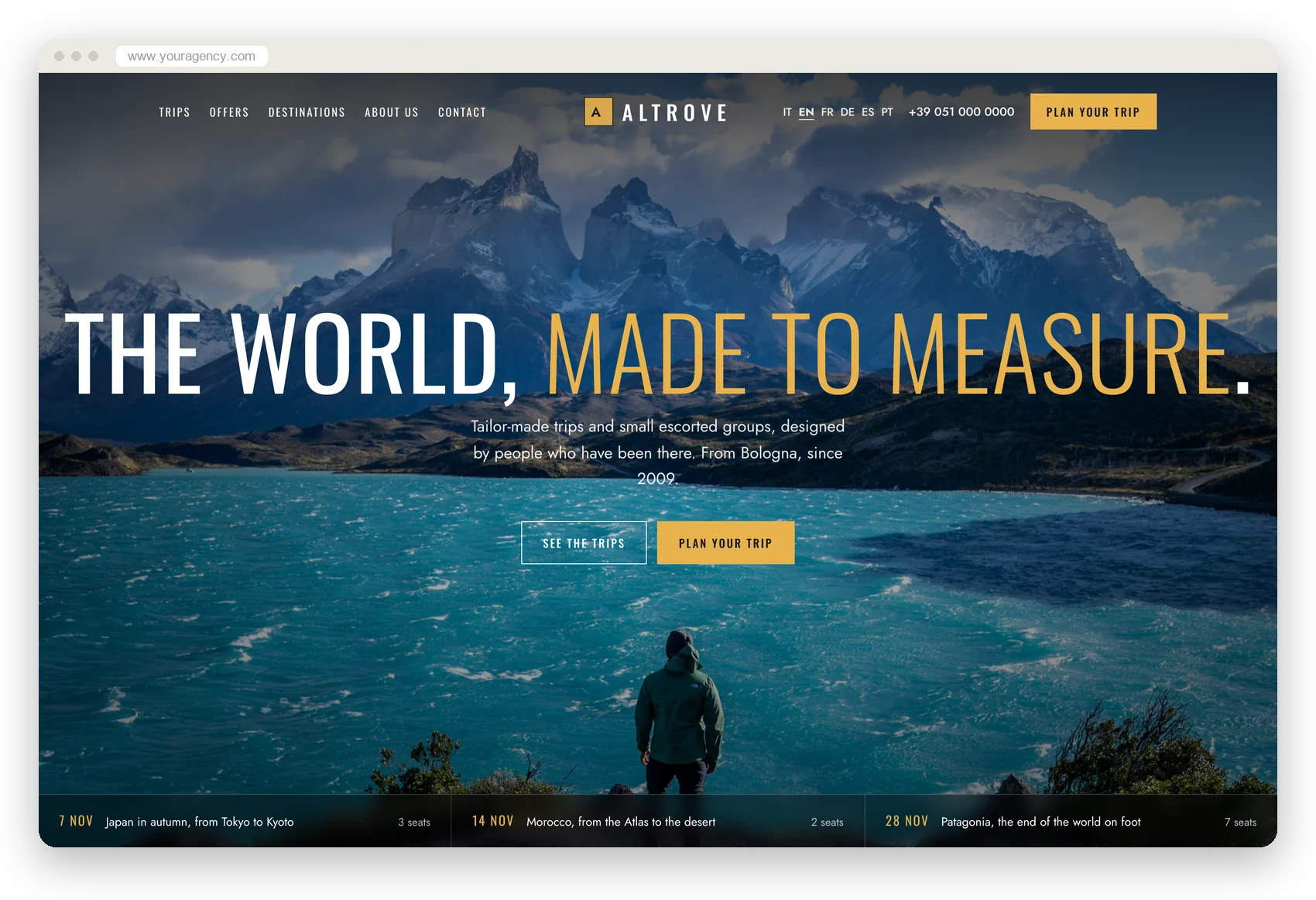
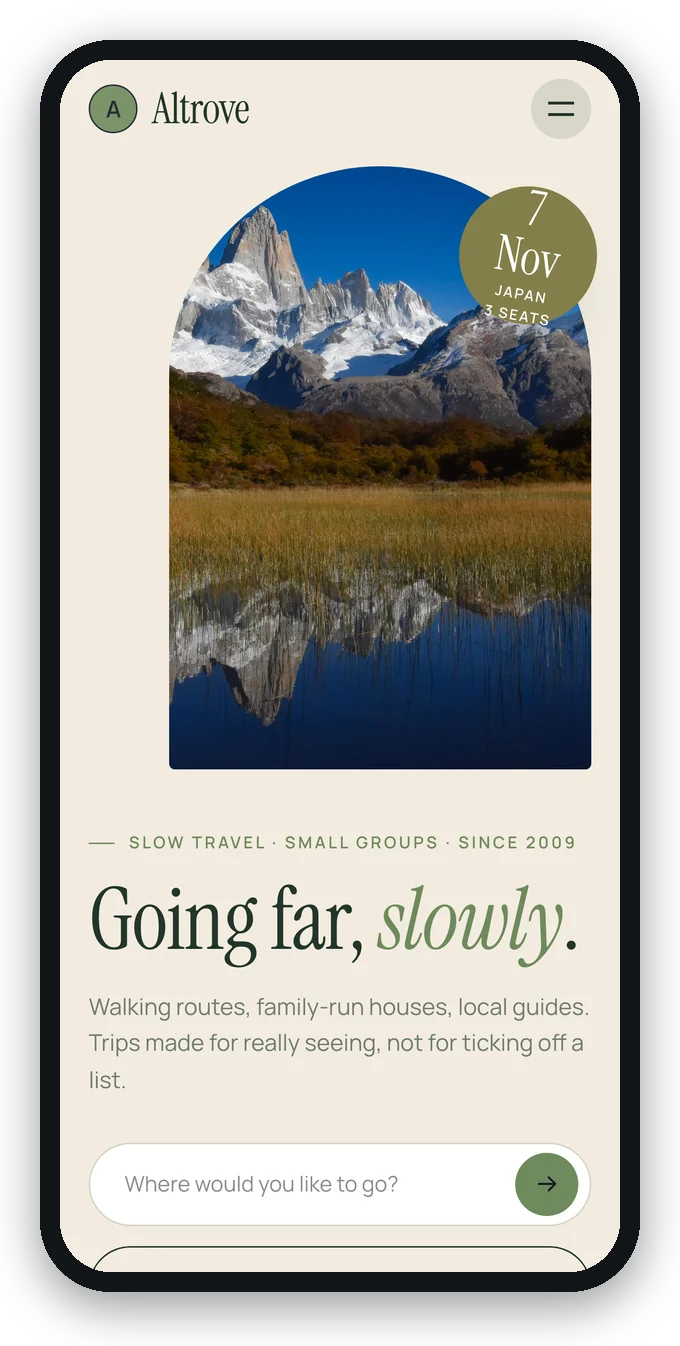
A ready-made site, or your trips on the site you have
No empty template to fill in: the CRM already knows your name, what you sell and what your clients say. The first time, you choose from six sites made with your data, with no waiting and no AI.
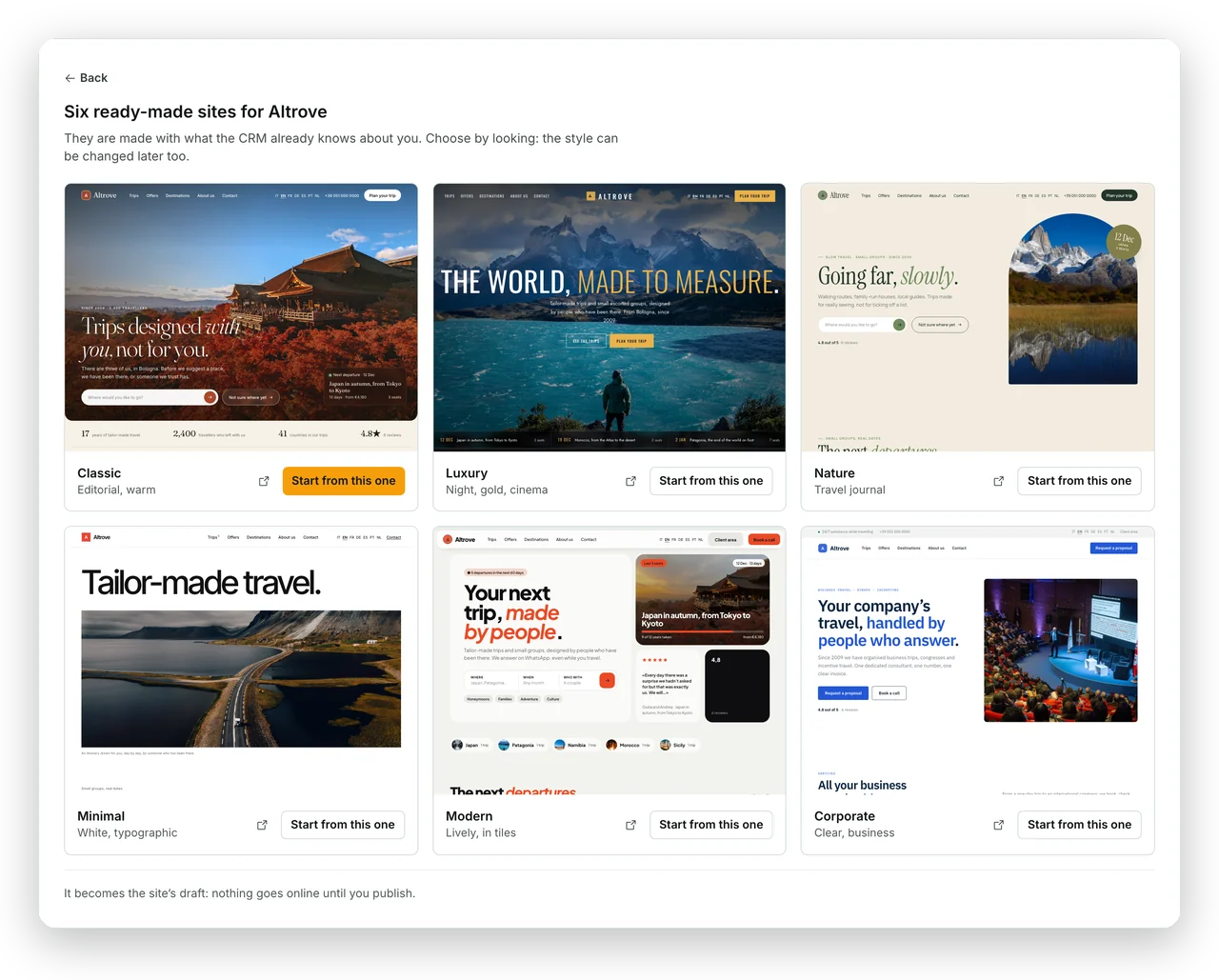
Six models, already with your trips.
One per style, from editorial to cinematic: name, logo, trips with departures and prices, reviews. Nothing invented.
Choose, and write on the page.
The model you choose becomes the draft: every text is changed with a click, every photo from the photo itself.
Publish whenever you like.
Nothing goes online by itself, and the style can be changed later too: the texts stay.
Already have a website and want to keep it? Paste one line of code and your trips, with departures and seats left, appear on your site. Each trip also has its own page, to send as a link, on WhatsApp or with a QR code: requests arrive in the CRM.
What you do in the CRM is already on the site. What comes from the site is already in the CRM.
No exports, no forms ending up in an inbox, no prices to copy over.
From the CRM to the site
You work in the CRM as always; the site keeps up.
- Every trip has its page. The route on a real map, with the roads and the driving times; a chapter for every hotel, day by day; the departures with the seats left.
- Real seats and prices. A booking takes the seat off the site too; «last 3 seats» writes itself.
- Your own travel styles. «Private safaris», «Honeymoons», «Art cities»: you write them, pick the trips, and each one gets its own page. If you like, the AI suggests them. Destinations grow from the trips you publish.
- Reviews from those who travelled. Collected by the portal at the end of the trip, shown with the trip they took.
- The agency's details. Contacts, opening hours, legal details and privacy notice, from your profile.
From the site to the CRM
Whoever writes from the site is already a lead.
- The request becomes a lead. With the trip and departure the client was looking at, their language and their consent.
- So does the booked call. With the time and who on the team answers; the client gets the confirmation with a calendar invite.
- The sign-up for offers goes to your campaigns. With double opt-in and proof of consent, on the client's record.
- Clients come back through the site. With their email they find their trips and their portal, in the clients' area.
- You know where every lead comes from. Visits, pages and the page each request started from, in the statistics.
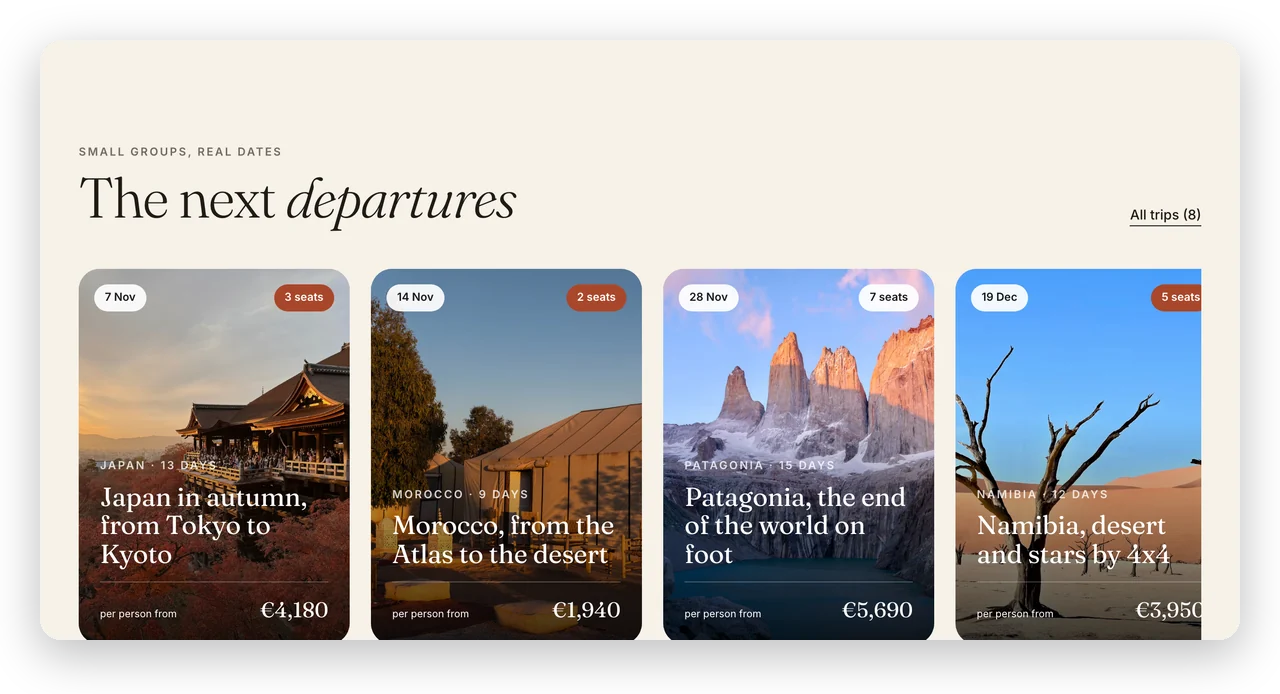
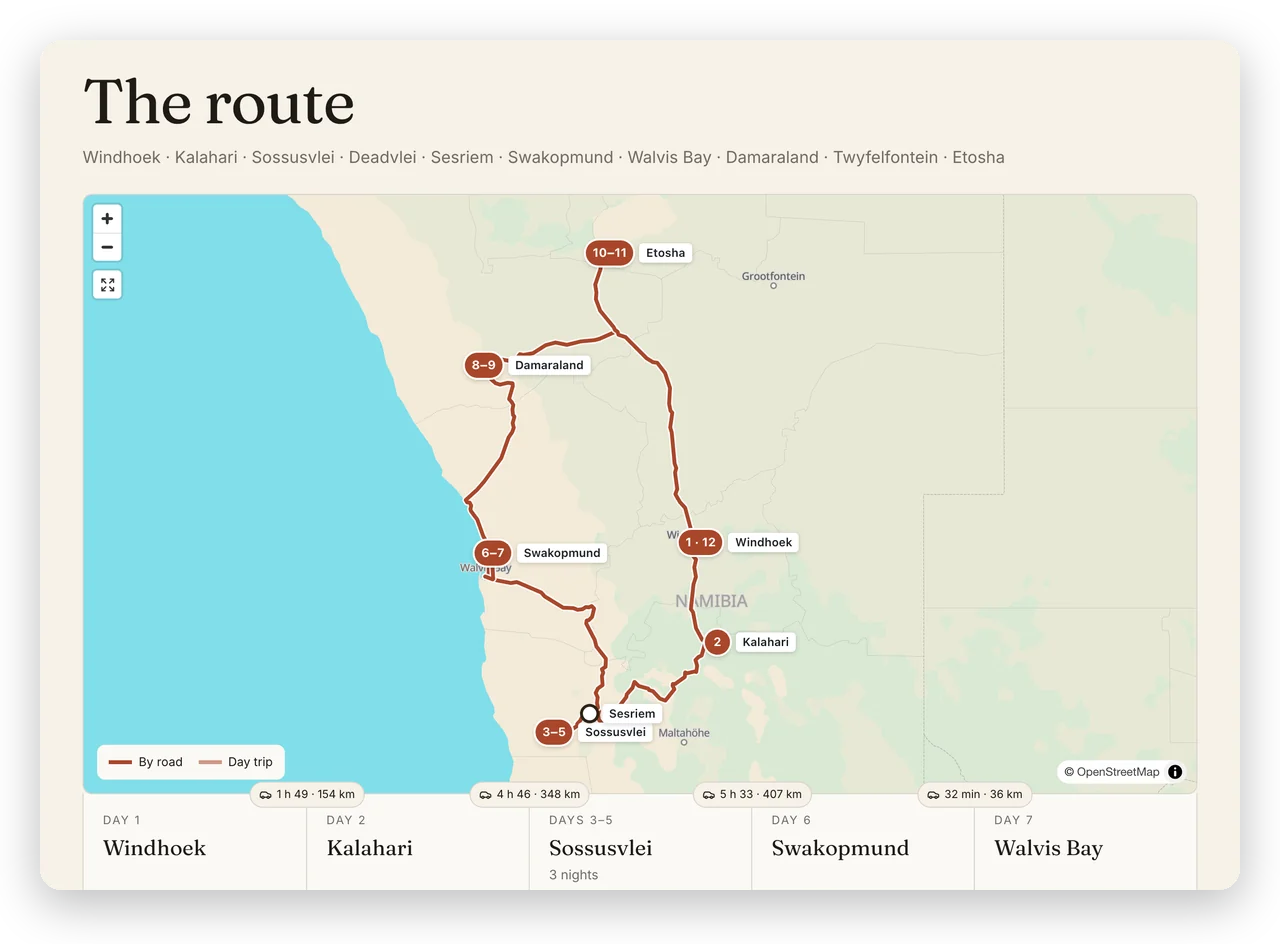
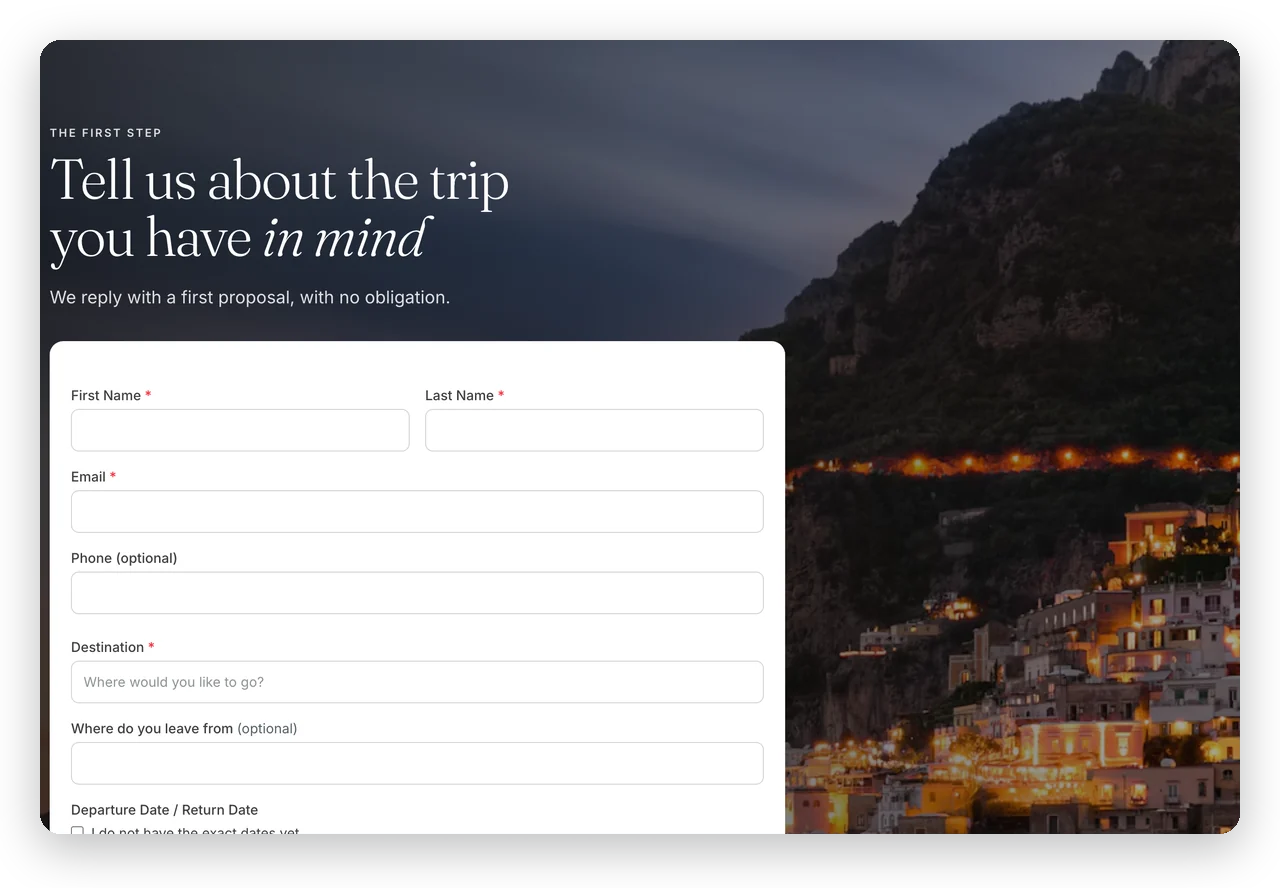
The same trip, six different characters
Each style has its own sections and proportions, not just a colour. Open the demos: they are real websites, with trip pages, contacts and the form.
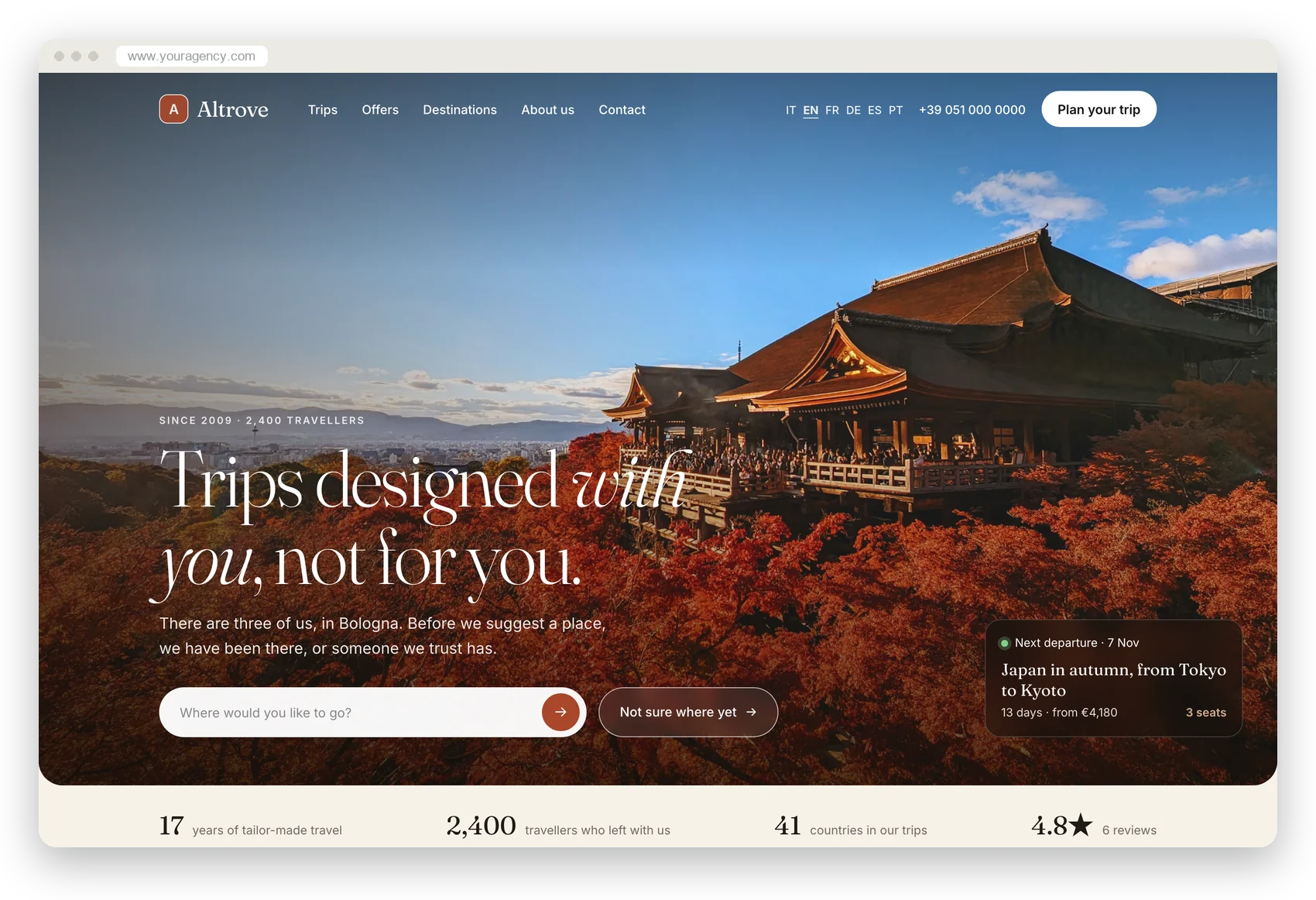
Classic
Editorial and warm, for storytellers
Open the demoLuxury
Cinematic, for high-end tailor-made travel
Open the demo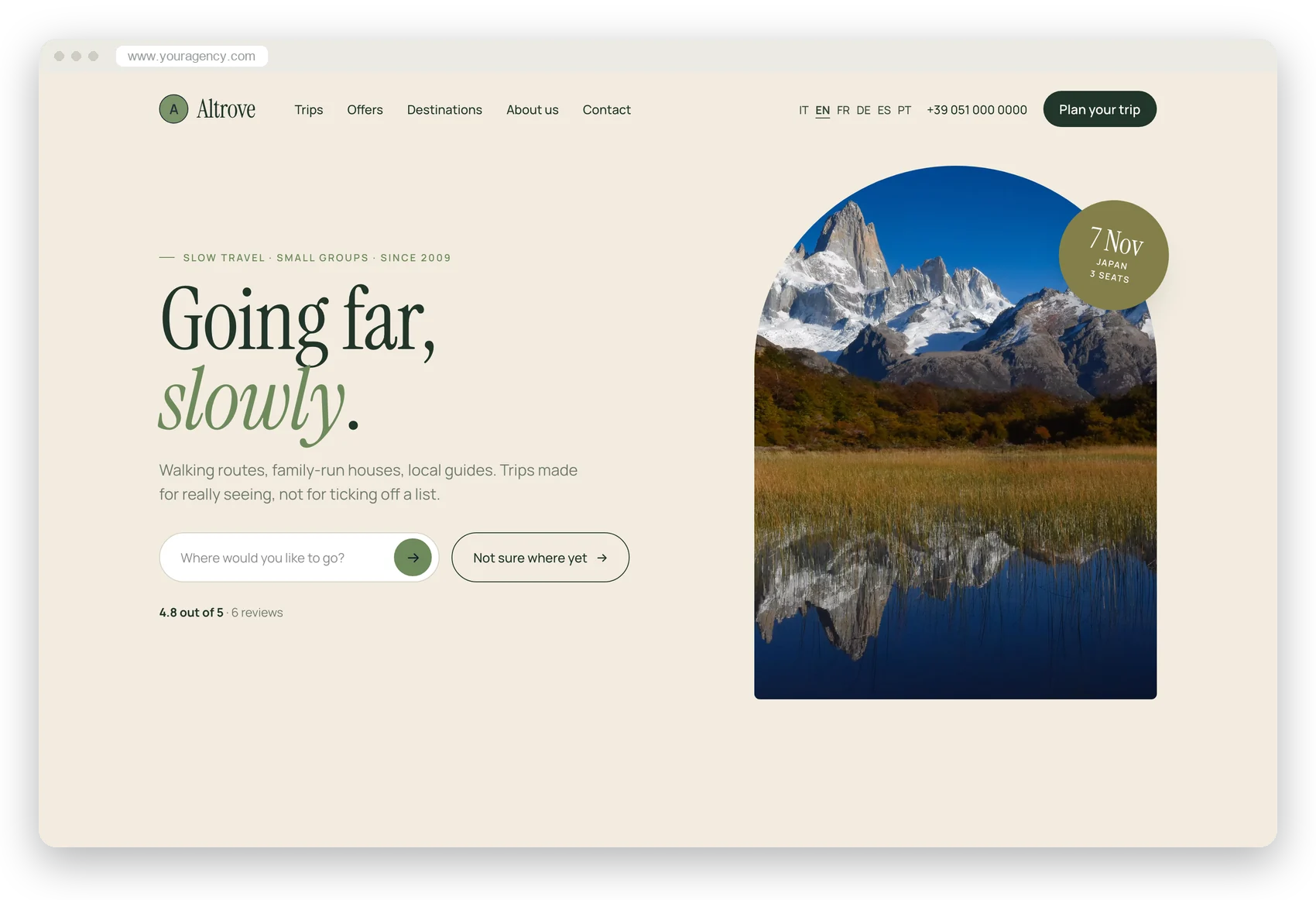
Nature
Slow travel, on foot, in small groups
Open the demo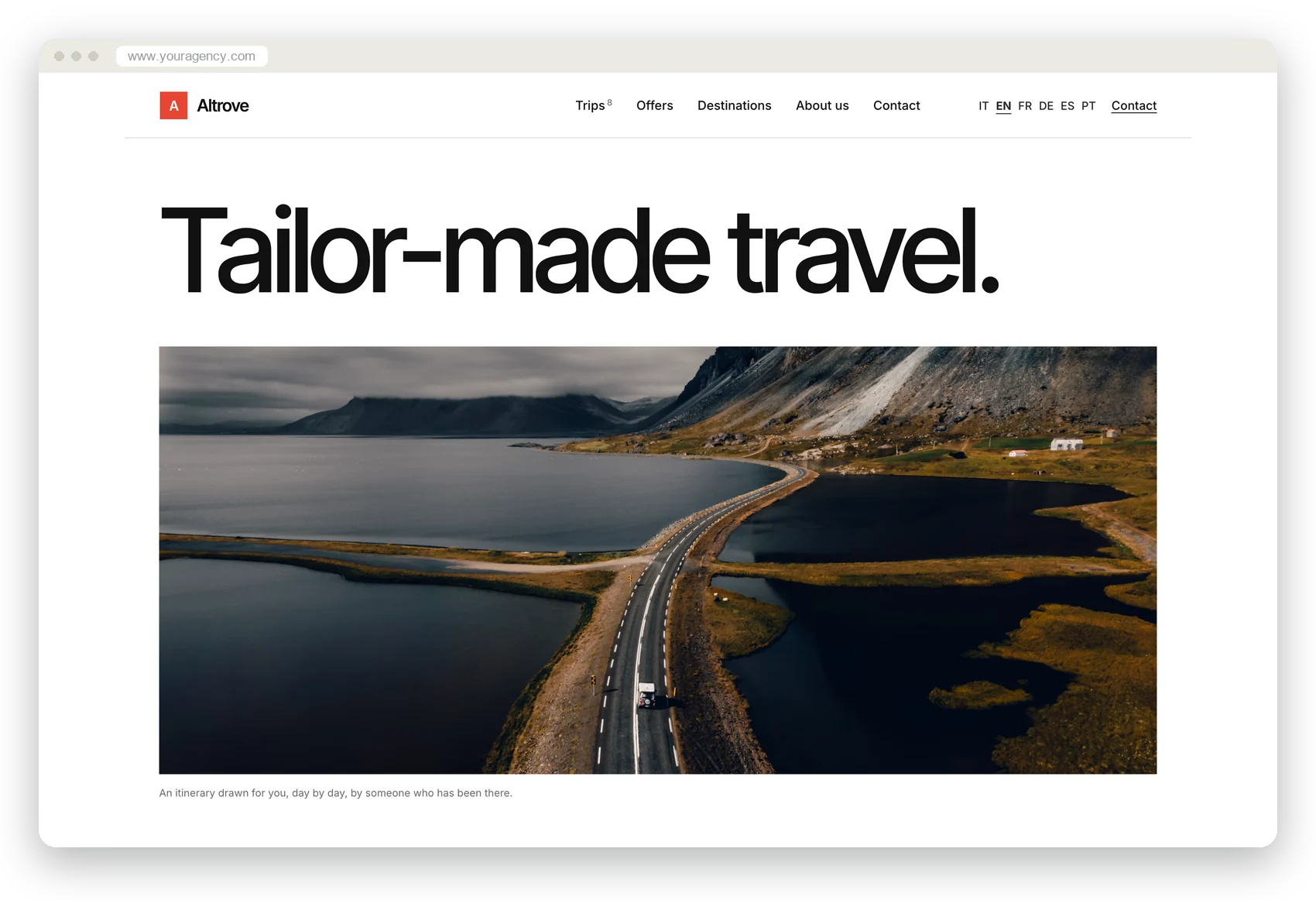
Minimal
Typographic, departures like a timetable
Open the demo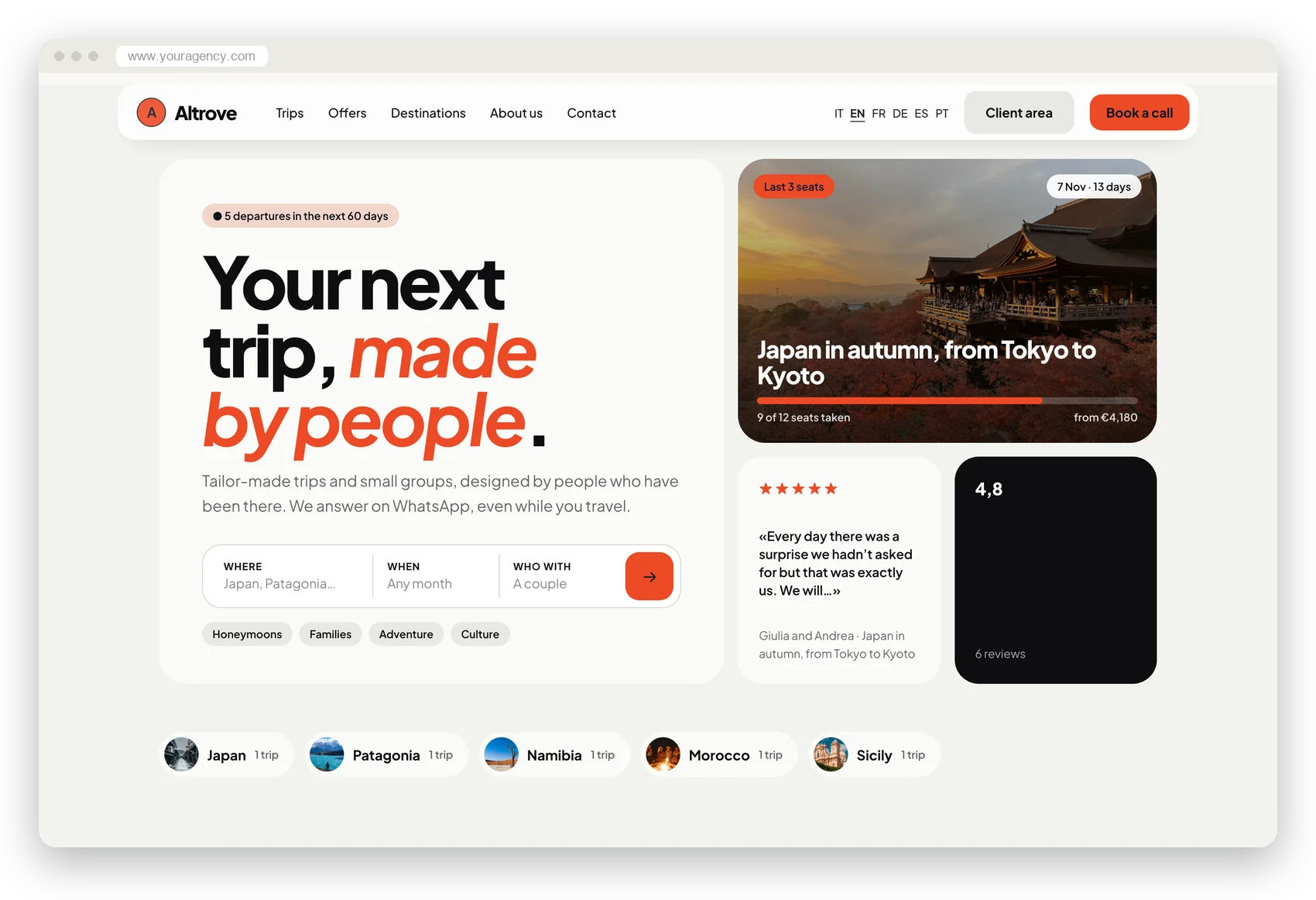
Modern
Lively, with search like an app
Open the demo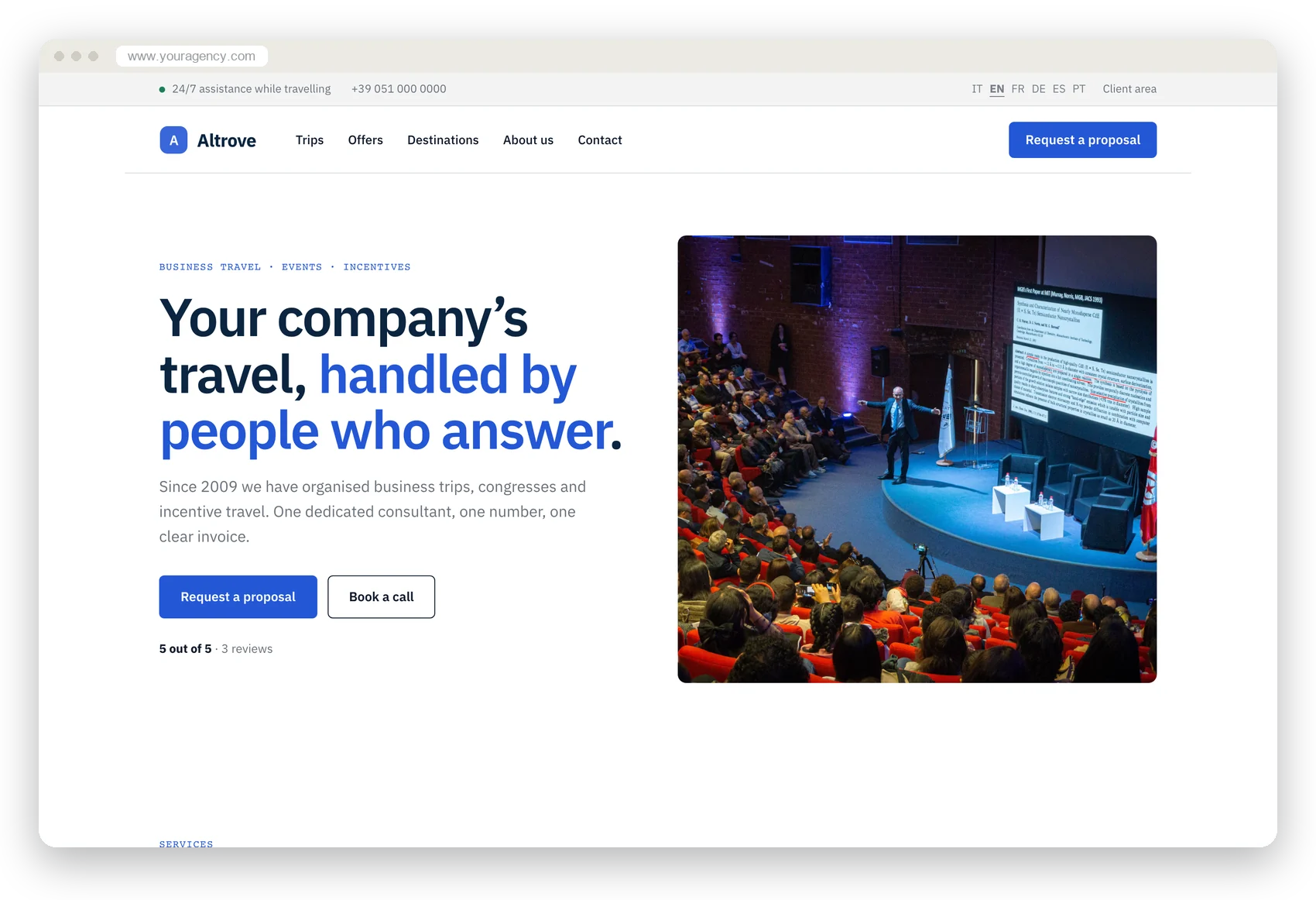
Corporate
Business travel, events and incentives
Open the demoWrite only what is yours
The rest comes from the CRM. Ask the assistant in your own words, or click on the site and write right on the page: everything stays a draft until you publish.
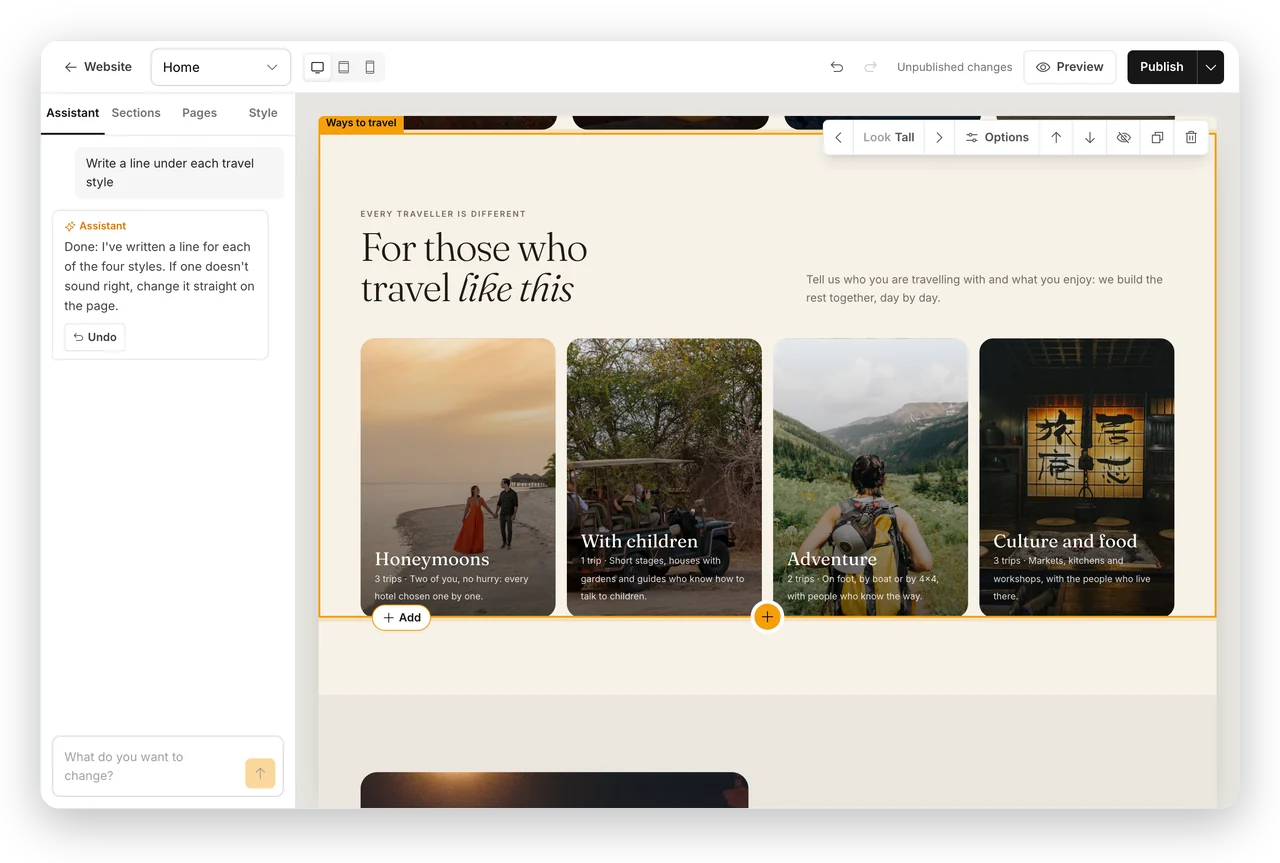
Ask the assistant.
«Shorten the home page texts», «Add frequently asked questions», «Write a line under each style»: it does it and tells you what it did. Every change can be undone with one click.
Click a section on the site.
On the section you browse its looks and see them side by side, with your content; you see new sections drawn on your site before adding them.
Write on the page.
Every text, in the site's real typeface, with italics where you want them; photos are changed with one click. Computer, tablet and phone in one click.
Colours, fonts and logo.
The style's palette or your own colour, with a readability check. On photos and dark backgrounds, your logo in white or its light version.
And what a web agency would charge you extra for
Seven languages
AI translation of only the parts that changed, and a language switch on every page.
Ready for Google
Structured data, sitemap and declared languages; every trip and every destination with its own page.
Cookie-free statistics
Visits, pages and requests in the CRM, with no banner for your visitors.
Six styles to try
Change style in a draft and the texts stay; the portal and documents have their own.
Your own domain
www.youragency.com, with the padlock: add one record, we prepare the certificate. The old site's pages lead to the new ones.
Frequently asked questions
- Do I have to copy my trips onto the website?
- No. The trips you publish in Templates are already on the site, with their pages, departures and seats left. Change a price or a date in the CRM and it changes on the site too.
- Where do the website's requests go?
- Into the CRM, as leads: with the chosen trip and departure, the client's language, their consent and the page they started from. Booked calls arrive the same way, with the time.
- Can I use my own domain?
- Yes, on every plan. Type www.youragency.com, add one record where you bought the domain (or we email the instructions to your technician) and within minutes the site answers there, with its certificate. The old itinovo address leads to your domain.
- I already have a website: can I replace it?
- Yes, and it's the quickest way to start. Type its address: we read up to 80 pages and in a few minutes you have three proposals with your words, your photos and your logo's colours. Choose one, polish it in the editor and publish when you're ready. The old site's pages lead to the new ones, so Google loses nothing.
- I don't have a website: where do I start?
- From five questions: what you sell, where, to whom, what sets you apart and in what tone. From your answers and the destinations in your CRM, the AI writes the first version, which you then correct as you like.
- Does the AI write instead of me?
- It proposes, you decide. Every proposal is a draft: correct the texts on the page, ask the assistant to change them, or undo the change with one click. Nothing goes online until you publish.
- Can I change style later?
- Whenever you like: texts and sections stay, design, colours and fonts change. You can try a style in a draft before publishing it.
- Does the website share the style of the portal and documents?
- Your choice: website, client portal and documents each have their own style. If you want them alike, set them the same way.
- In how many languages?
- Seven: Italian, English, French, German, Spanish, Portuguese and Dutch. Translation is by AI and only updates where you changed something.
- I have more than one brand: can each have its own website?
- Yes. Each brand has its own address or domain, style, languages and statistics, and you choose which trips go on each website. Requests reach the CRM already marked with their brand.
- How much does it cost?
- It's included in every plan, at no extra cost. With more than one brand, each brand has its own website: 2 on Professional, 5 on Business, no limit on Enterprise.

Your website and your CRM, finally the same thing
The site grows from what you already have in your CRM. Choose a model, write on the page, publish; or put your trips on the site you have. Included in every plan.
No credit card required · On your own domain · Export your data